How to Create a High-Quality Unboxing Video for a Smartwatch Using PixPix
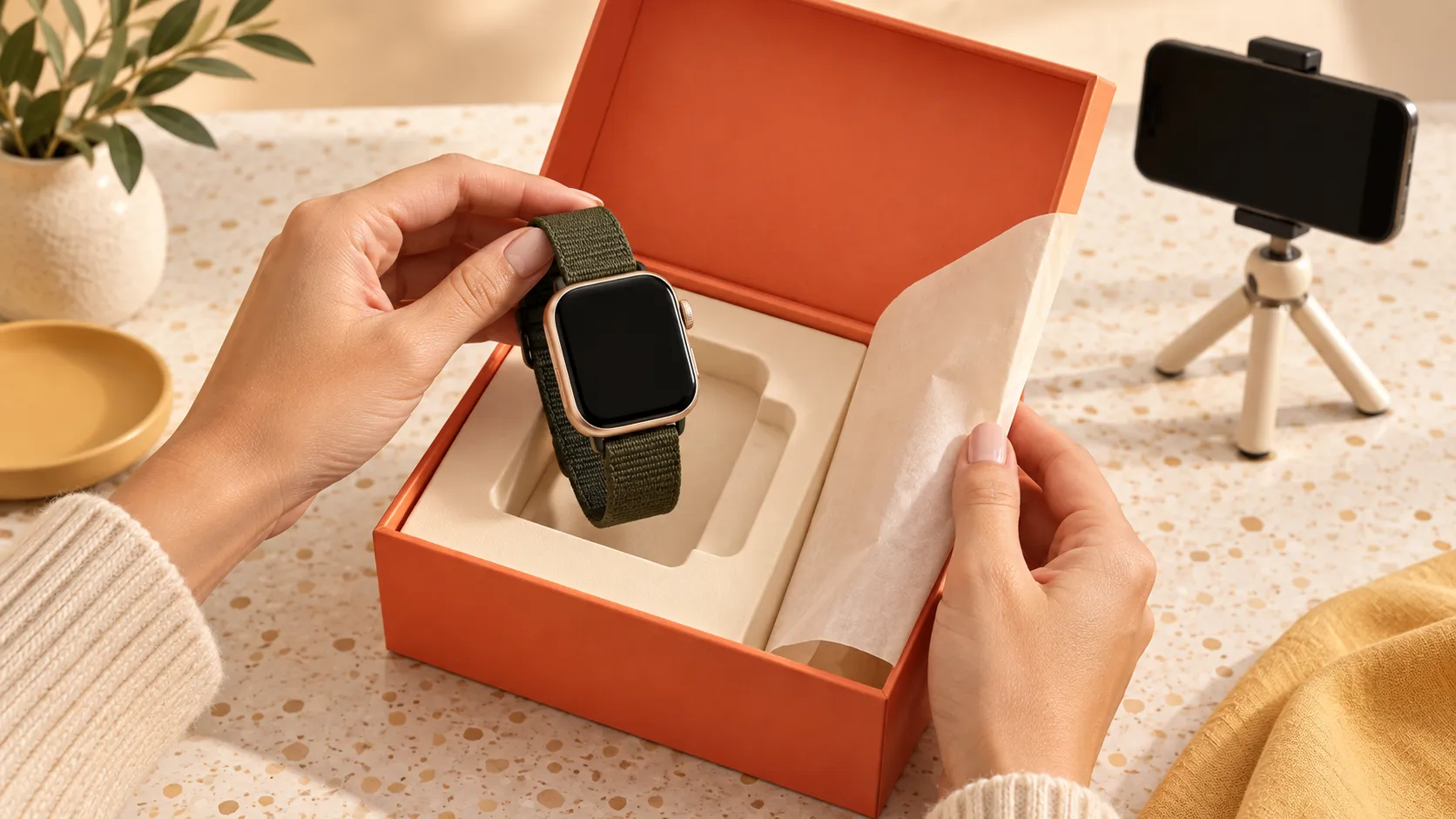
This is an unboxing video for a vertical‑style smartwatch, approximately 15秒 in length. The footage sequentially demonstrates the product’s journey from its sealed, unopened state to its official unveiling—starting with removing the plastic seal, opening the box, taking out the watch, peeling off the protective film, turning on the screen, and finally freezing the shot on the desktop.
The video employs warm lighting, a dark tabletop, and a first-person perspective, creating an overall sophisticated and understated aesthetic—perfect for showcasing smartwatches, earphones, phone accessories, and other digital products.
What details of the product are highlighted?
The smartwatch featured in this video has the following key characteristics:
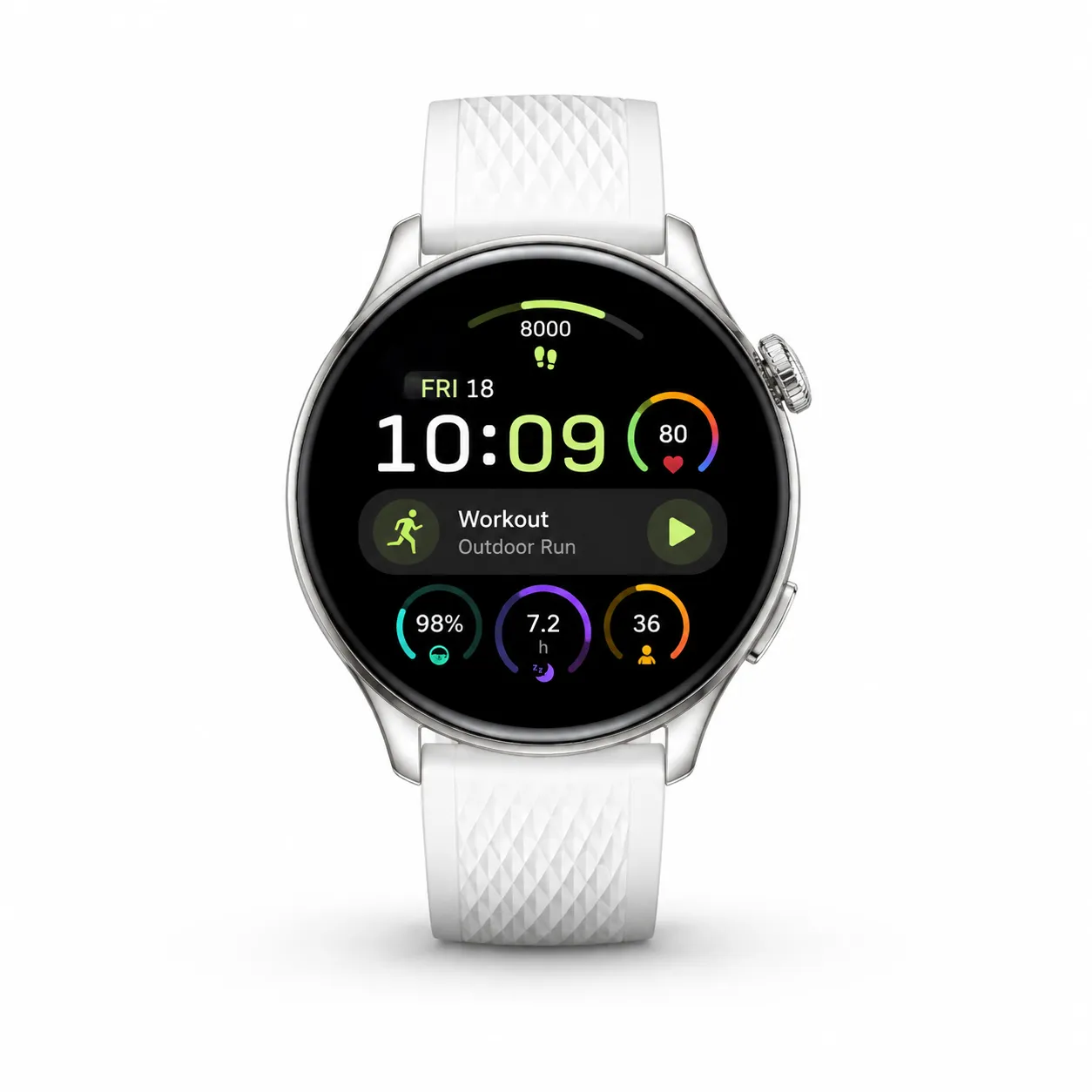
Round black display
Silver metal bezel
White textured strap
Strap adjustment holes
Physical side buttons
Colorful smartwatch interface
Icons for time, fitness, and health data
Simple dark green packaging box
When producing this video, it’s crucial to maintain consistency in the dial shape, strap color, button placement, and screen interface.
Why does this video have such a digital‑product feel?
Warm localized lighting
A vintage desk lamp in the background provides warm illumination, creating natural reflections on the watch’s metal bezel and glass screen.
The contrast between the dark surroundings and the bright product helps highlight the white strap and round dial.
First-person unboxing perspective
Hands enter from the bottom of the frame, allowing viewers to clearly see the process of removing the plastic seal, opening the box, and taking out the watch—offering an immersive experience that closely mimics a real‑world unboxing.
Gradual reveal of the product
Rather than showing the complete watch right away, the video begins with the packaging box and gradually unveils the item through unpacking and opening, building anticipation along the way.
Screen transitions from dark to light
When the watch is first removed, the screen remains off; later, the colorful watch face lights up, creating a distinct before-and-after visual effect—a key moment throughout the video.
Unboxing rhythm breakdown
Time | Visual content | Main function |
|---|---|---|
| Displaying the packaging box and tearing open the transparent plastic seal | Establishing a brand-new, unopened state |
| Opening the box lid to reveal the watch | Completing the product’s first appearance |
| Removing the watch and unfolding the strap | Show the product’s overall design |
| Remove the screen protector | Enhance the realistic unboxing experience |
| Light up the screen and adjust the viewing angle | Display the screen and functional interface |
| Place the watch on a soft cloth to capture the final shot | Complete the product presentation |
Preparing to generate content
When creating a video similar to this in PixPix, it is recommended to prepare:
Product image: Fully showcases the watch, dial, and strap.
Packaging image: Displays the box’s color, structure, and text placement.
Screen interface image: Used to determine the dial content after the screen lights up.
Side view image: Shows bezel thickness and physical buttons.
Scene reference image: Used to control the dark tabletop and warm lighting atmosphere.
If only one product image is available, it is recommended to choose a front-facing photo showing the watch screen lit up and the strap fully extended.
Video generation prompt
A 15-second high‑quality smartwatch unboxing video, shot in 9:16 vertical format, from a first-person close‑up overhead perspective. The scene takes place on a dark tabletop, with a vintage desk lamp emitting warm orange light and a few metallic accents placed in the background. The environment is clean and sophisticated, exuding the premium feel of a digital product advertisement.
At the start of the footage, a deep green smartwatch packaging box rests at the center of the table. Two natural, real hands enter from the bottom of the frame, gently lift the box, locate the tear notch on the transparent plastic seal, and slowly peel back the film. The plastic seal produces realistic stretching, creases, and reflections before being completely removed from the frame.
The hands pick up the lid and open it smoothly, revealing the smartwatch inside. The watch sits neatly in its molded insert, with a round black dial, silver metal bezel, and white textured strap clearly visible.
One hand holds the strap while the other supports the dial, carefully removing the watch from the packaging and unfolding it in front of the camera. The hands slowly rotate the watch, showcasing the round dial, silver bezel, side buttons, white strap texture, and adjustment holes.
Fingers gently grasp the transparent protective film covering the screen and slowly peel it away from the edge of the dial. The film exhibits realistic transparency, reflections, and slight curvature; once peeled off, the watch screen remains clean and smooth.
Fingers naturally operate the side buttons, causing the black screen to light up instantly, displaying a clear, colorful smartwatch interface complete with time and fitness data icons. The screen illumination process is smooth and natural, without flickering or altering the dial’s structure.
The hands gently rotate the watch again, allowing warm light to create natural reflections on the metal bezel and glass screen. Finally, the watch is placed steadily on a black soft cloth on the table, with the strap naturally unfurled and the screen still illuminated. The hands slowly withdraw from the frame, leaving the camera focused on the finished product—a crisp, stable close-up of the smartwatch.
The smartwatch must strictly adhere to the proportions, round dial, silver bezel, white strap, physical buttons, and overall dimensions shown in the reference image. Throughout the entire sequence, the product must remain consistent—no distortion, color changes, or structural alterations.
Negative keywords
The watch undergoes deformation: the square dial changes size, the bezel disappears, the strap breaks, the strap color shifts, the strap texture drifts, the number of adjustment holes is abnormal, physical buttons change position, the screen exhibits mold penetration, the screen interface displays garbled characters, numbers are incorrect, icons distort, the screen flickers, multiple watches appear, extra straps emerge, the packaging box deforms, packaging text becomes illegible, the plastic seal vanishes for no apparent reason, the protective film sticks to the screen, hands deform, extra fingers appear, fingers stick together, wrists twist, movements jump around, the unboxing sequence is chaotic, the background flickers, lighting suddenly changes, severe overexposure occurs, the camera shakes violently, the subject goes out of focus, and image clarity is poor.
Key aspects to control during production
Distinguishing between the protective film and the display screen
The protective film must be peeled off the screen surface without causing the display itself to deform.
The prompt should clearly specify:
The protective film is transparent and flexible
The protective film peels off starting from the edges
After peeling, the screen remains intact
The bezel cannot be torn off along with the film
Once removed, the protective film must not reappear
Controlling the screen-on phase
Turning on the screen marks a crucial transition in the unboxing video and should follow an initial presentation of the product’s exterior.
When the screen lights up, avoid:
Numbers on the clock face constantly changing
Icons drifting or displaying garbled characters
The screen suddenly morphing into another shape
Screen content extending beyond the dial’s edge
Reflections completely obscuring the displayed content
Ensuring proper hand positioning
Both hands should firmly support the packaging box and the watch. During film removal, button presses, and rotational demonstrations, each hand should have a clear task.
When showcasing the watch, one hand can hold the upper strap while the other supports the lower strap or the edge of the dial, preventing fingers from obstructing the screen.
Allow time for the final product shot
Finally, place the watch on a black soft cloth and reserve approximately 1—2秒 seconds of stable footage. This highlights the screen interface and makes it easier to add product names, selling points, or purchase information later.
Suitable product types for reuse
This unboxing structure can also be applied to:
Smart wristbands
Wireless earphones
Mobile phones
Cameras
Mechanical watches
Charging Devices
Digital Accessories
Small Electronics
When reusing, you need to adjust the removal method, the position of the protective film, and the activation sequence according to the product’s structure.
Summary
The core structure of this smartwatch unboxing video is:
Tear off the plastic seal → Open the packaging box → Take out the watch → Unfold the strap → Peel off the protective film → Light up the screen → Showcase from multiple angles → Freeze on a desktop shot
The video enhances the sense of sophistication in digital products through dark scenes, warm lighting, and continuous first-person actions. When creating similar content, focusing on controlling the unboxing sequence, dial design, screen transitions, and hand movements will allow you to apply this approach across various electronic products.

AI Image Tool Built for E-commerce Teams
For new product launches, advertising, and promotional campaigns, use AI to generate product images, scene visuals, ad creatives, and short video assets — making content production faster.