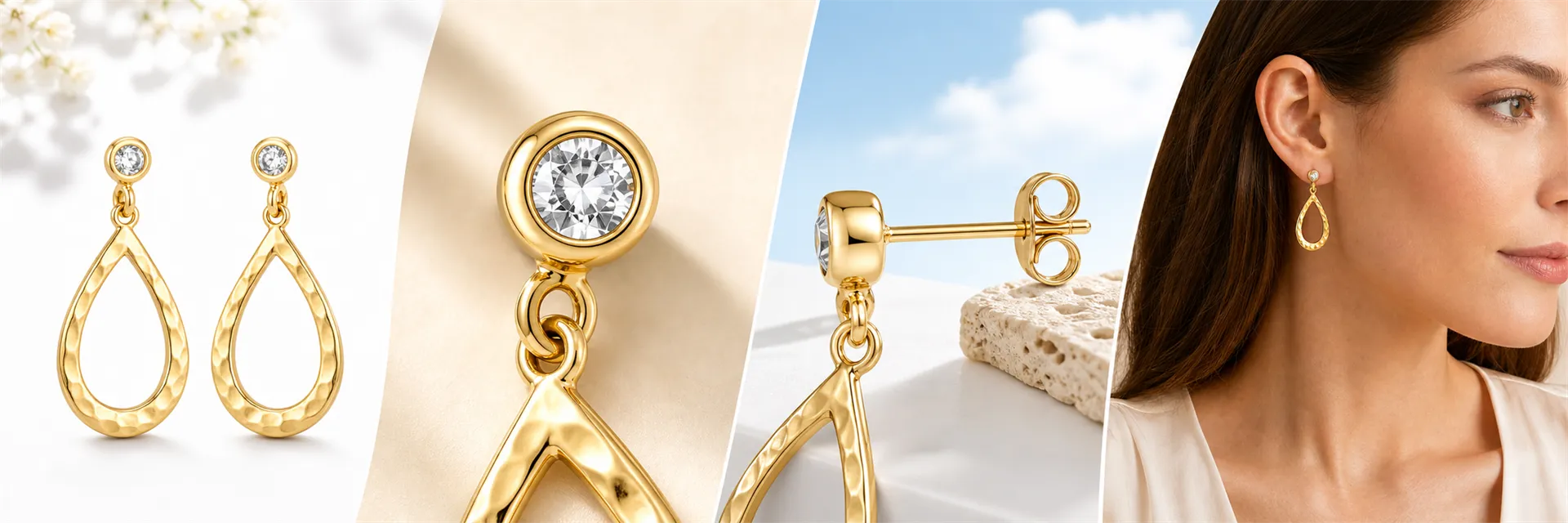
Amazon earring images may seem simple—just a clear shot of the product—but in reality, many details significantly influence consumers’ perceptions: how large the earrings actually are, how thick the hoops are, where the pendants hang, whether the posts and clasps are secure, if the metal color matches the real thing, and whether the number of gemstones has changed.
Suppliers often provide only a single front-facing image. If you directly zoom in, switch to a white background, or generate a wearing effect, AI might fabricate structures that don’t exist in the original photo. Therefore, when creating earring product images, first clarify what each image is meant to address, then decide whether to use real photography, AI processing, or post-production compositing.
Note: AI-generated images can help showcase the product’s appearance and how it looks when worn, but they cannot replace actual dimensions, material descriptions, or detailed product structure. Always cross-check these images against the real product or supplier information before going live.
1. Why do Amazon earring product pages need white-background images, close-up shots, and wear-test photos?
Earrings are small, intricately structured, and highly reflective items. A single front-facing photo alone struggles to simultaneously convey the number of pieces, size, thickness, opening/closing mechanism, and proportions when worn.
An effective set of images should allow consumers to clearly see, in sequence: what the item is upon receipt, whether its structure is intact, whether the materials match the description, how big it appears when worn, and how the clasp secures it. Each image serves a specific informational purpose, which is far more valuable than repeatedly changing backgrounds.
2. What five types of images should be prepared for an Amazon earring product page?
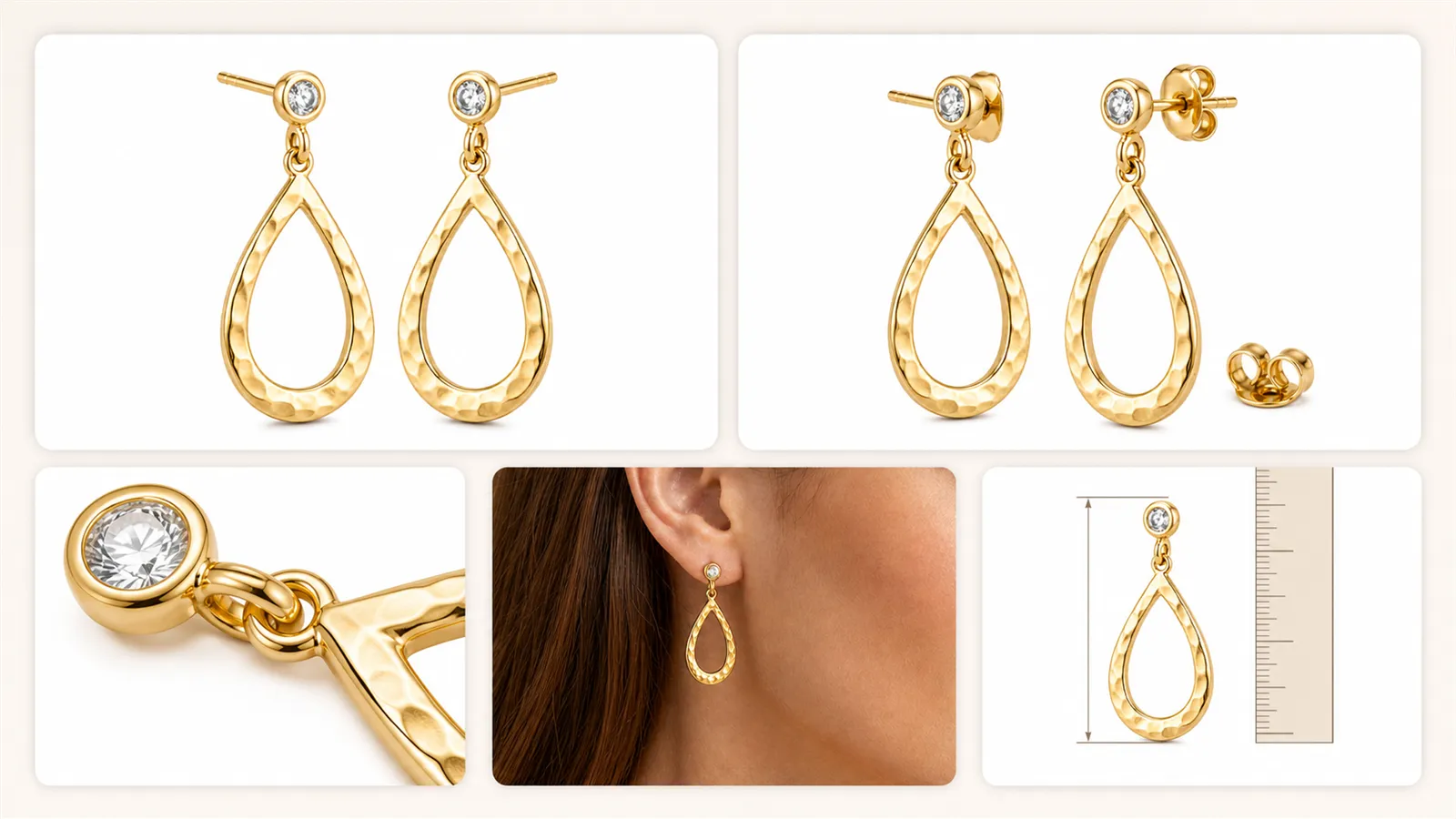
2.1 How does an Amazon earring white-background main image show the complete quantity and structure of the product?
The white-background main image must fully display the actual product being sold. If selling a pair of earrings, both left and right pieces should be clearly visible with appropriate spacing. The posts, hooks, or clasps must not be cropped out, and gems or pendants should not extend beyond the frame.
If the supplier only provides a single earring image, avoid simply having AI mirror it. The left-right symmetry, gemstone arrangement, and orientation of connecting rings all require manual verification.
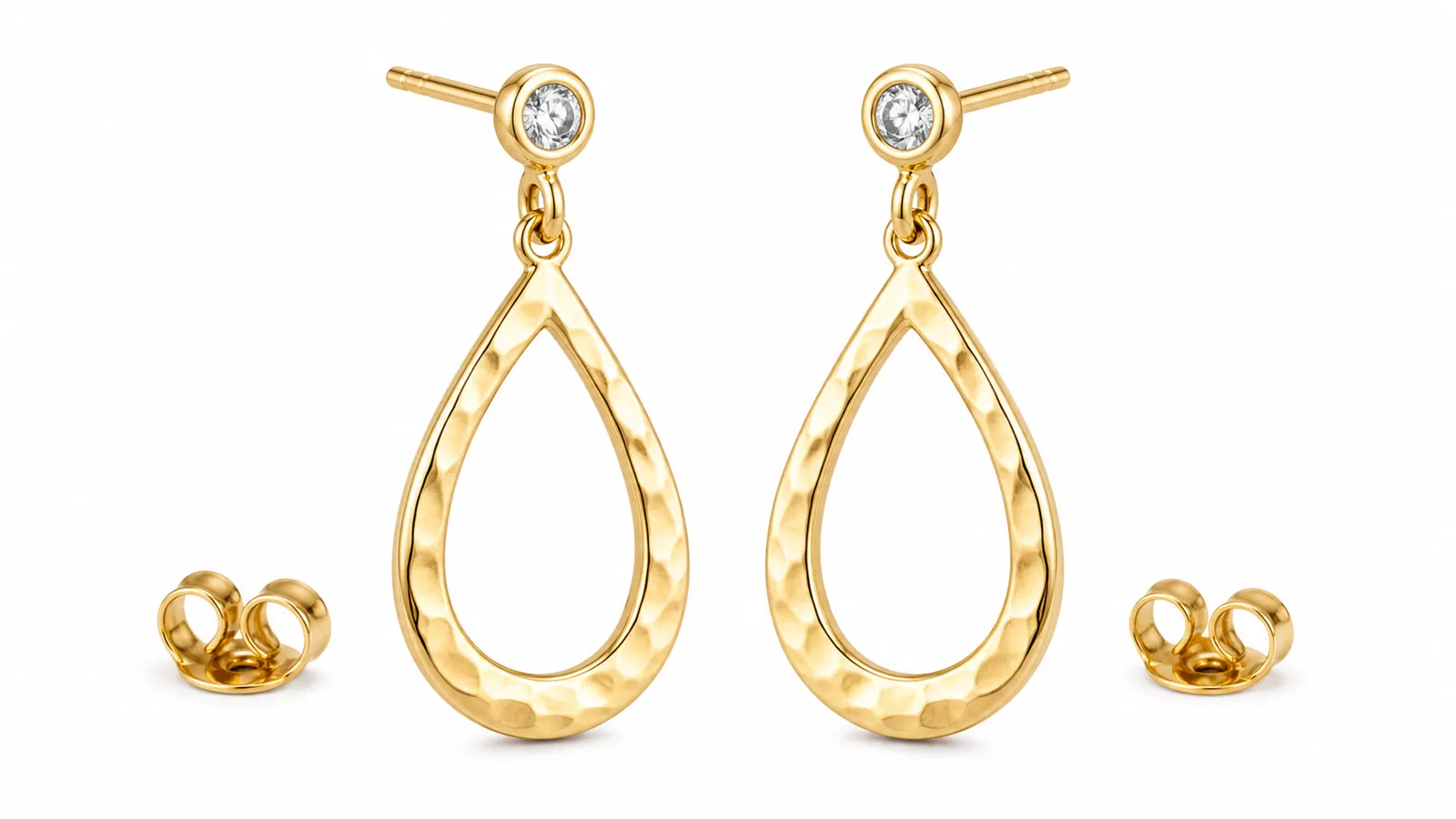
2.2 How does an Amazon earring side-view image show thickness, posts, and clasps?
While the front view only shows the outline, side or 45-degree angled images are necessary to reveal metal thickness, post length, clasp design, and pendant attachment methods. These angles help customers understand how the earrings will look when worn and confirm whether the product includes earplugs or other accessories.
Side-view images should maintain clear depth of field; avoid making only the front part sharp while blurring the back-end clasp entirely.
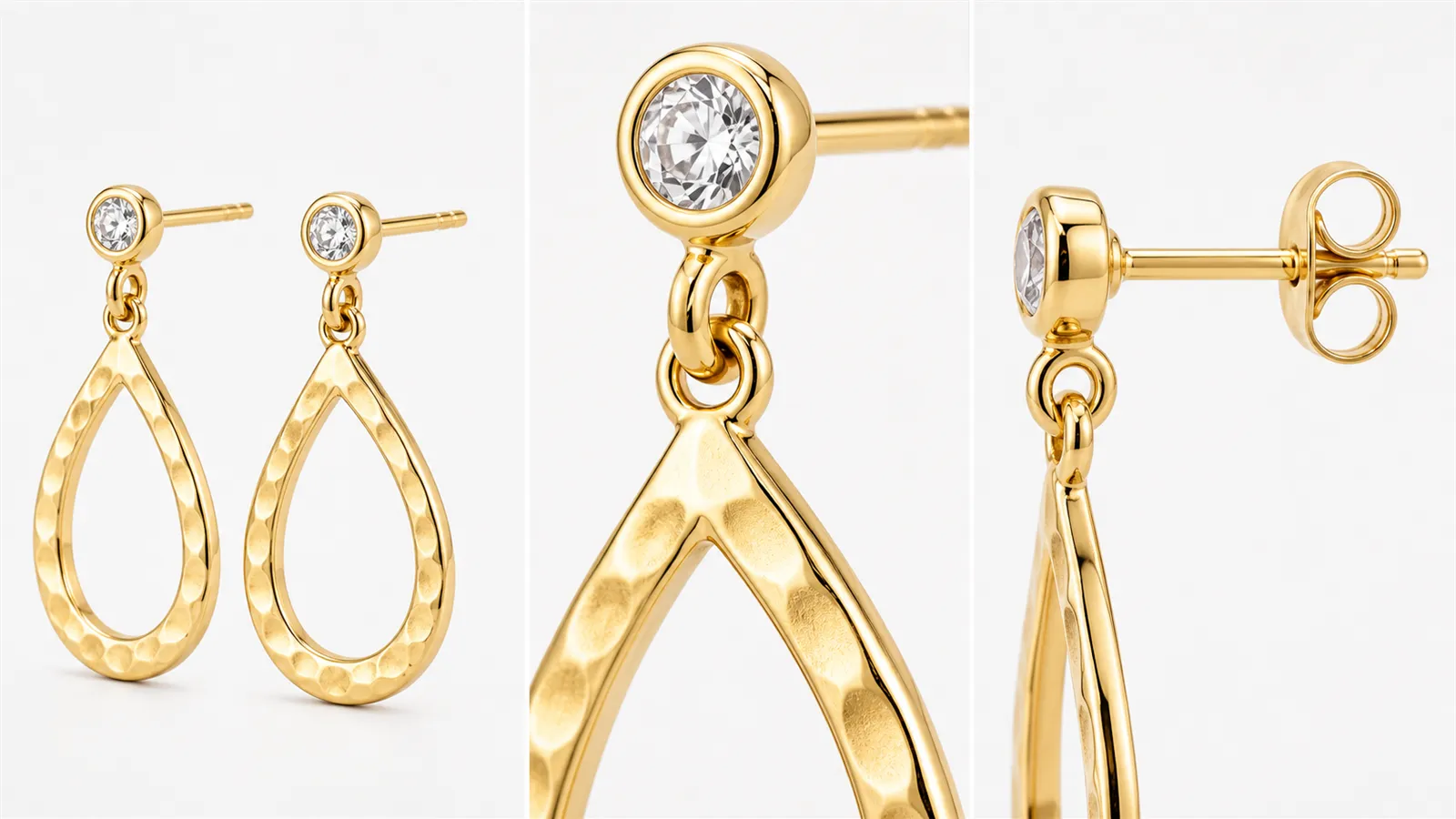
2.3 How does an Amazon earring macro detail image preserve the texture of metal and gemstones?
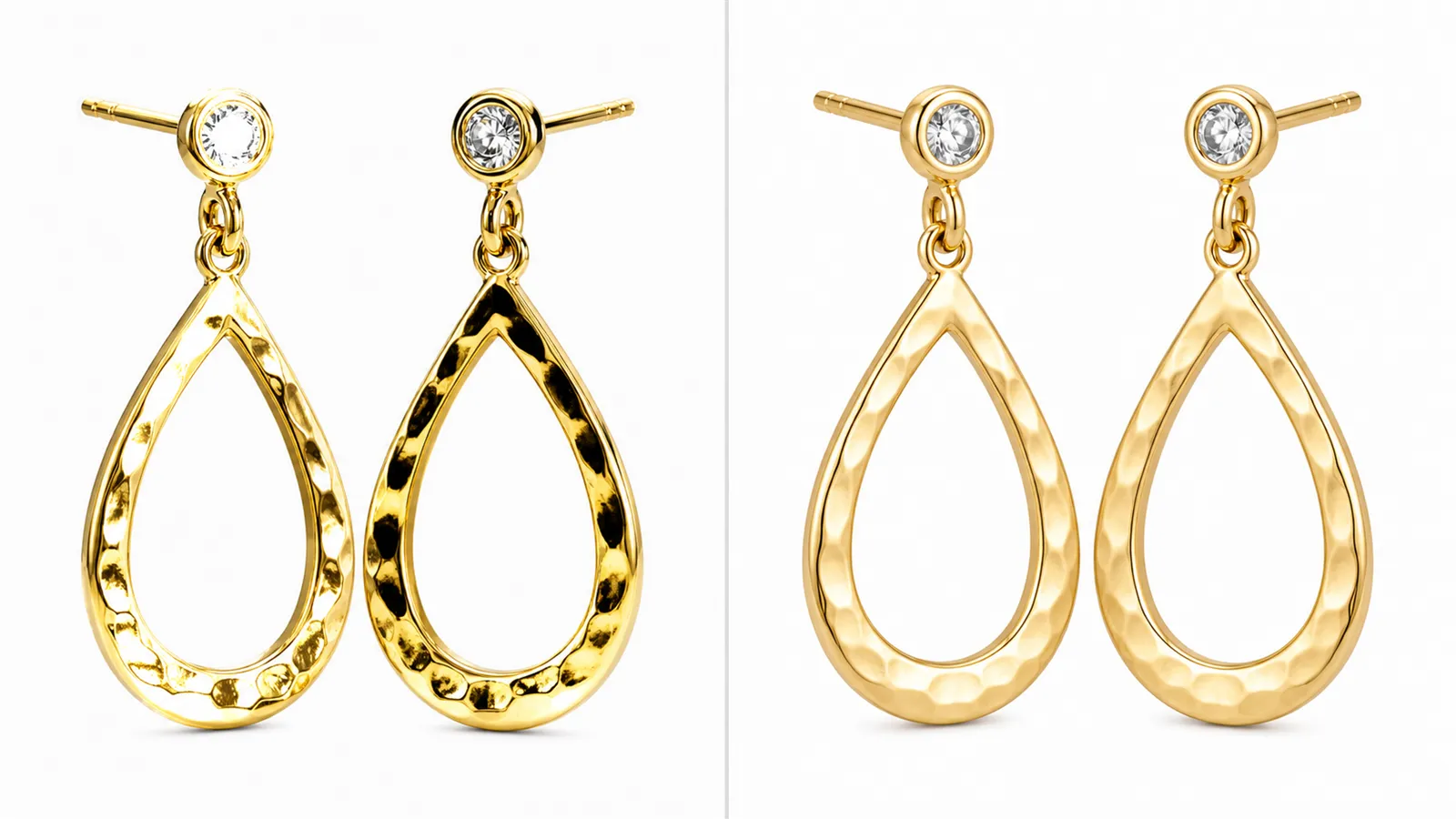
For metal earrings, soft, continuous highlights must be retained to emphasize the material. Removing all reflections makes the metal appear plastic, while overly bright highlights can obscure engravings, inlays, and edges.
Macro images should focus on showcasing the metal surface, gemstone settings, connecting rings, and textures, while avoiding reflections from phones, lenses, photographers, or cluttered surroundings.
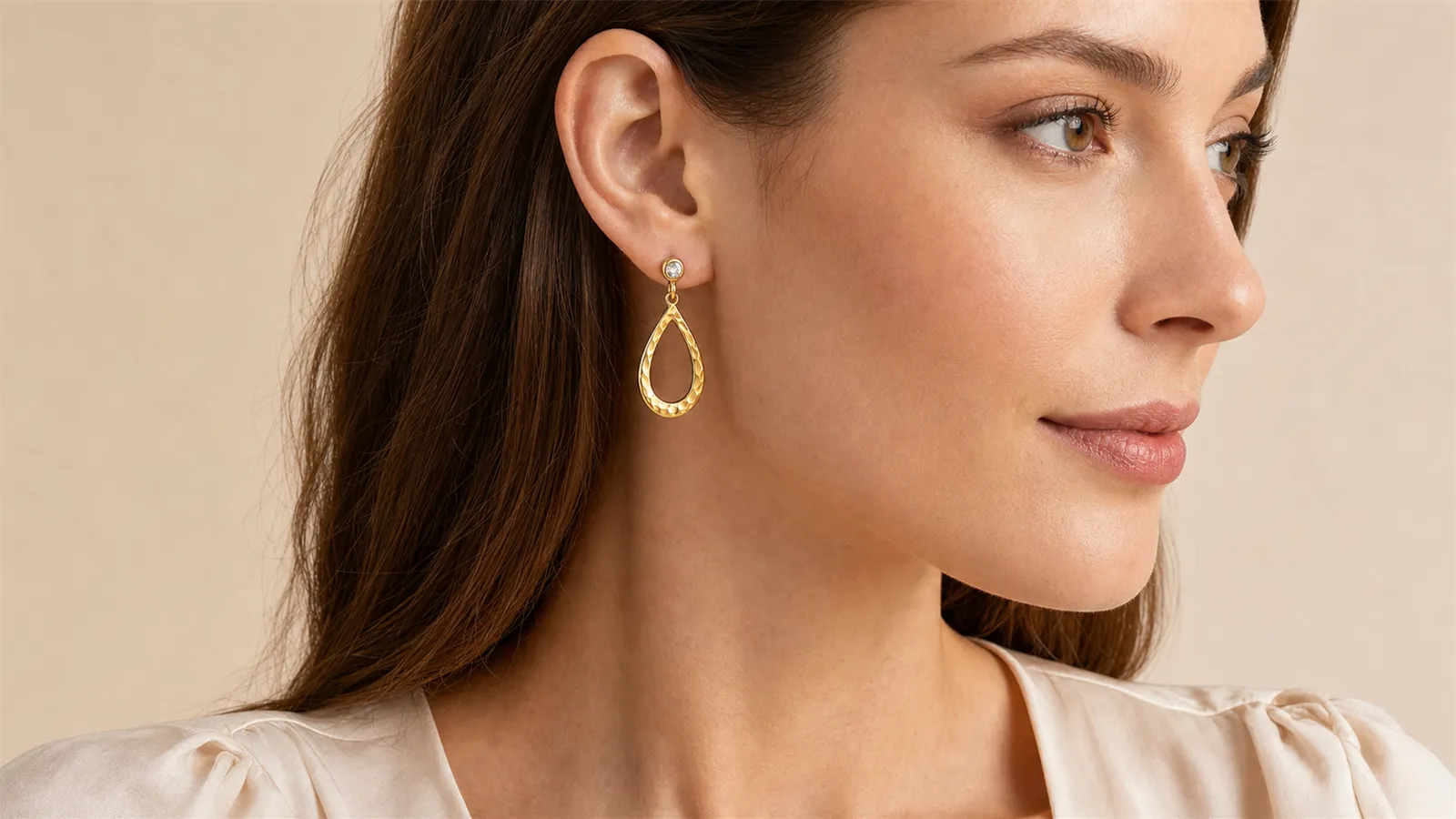
2.4 How does an Amazon earring wear-test image demonstrate true size and drape?
Wear-test images should center on the ear and the earring itself. Hair should be swept back behind the ears, with the earlobe, piercing, post, and clasp clearly visible. For dangling earrings, include the jawline or neck to help consumers judge where the piece falls.
Model photos can only serve as visual references and cannot substitute for accurate measurements. Since ear sizes vary among individuals, separate dimension diagrams are also required.
2.5 How does an Amazon earring dimension diagram reduce consumer confusion about size?
Dimension diagrams should specify the earring’s height, width, hoop diameter, or pendant length. Dimension lines must not obscure key structural elements, and values should come from actual measurements rather than AI-generated estimates.
You can combine white-background images, wear-test photos, and dimension diagrams into a complete set, enabling consumers to grasp the product’s appearance, actual proportions, and structural details all at once.
3. What prompts should be used for AI-generated white-background earring product images?
When crafting prompts for white-background earring images, prioritize constraints on quantity, shape, color, and structure, avoiding vague descriptions like “high-end jewelry photography.”
A pair of golden teardrop-shaped dangling earrings, strictly adhering to the shape, proportions, metal color, and connection structure shown in the uploaded product image.
Two earrings facing the camera, neatly arranged left and right, fully displaying the posts, clasps, connecting rings, and pendants.
Pure white background, professional e‑commerce jewelry photography, with soft, even studio lighting.
Natural metallic reflections and crisp edges preserved, without overexposed white spots.
No additional gemstones, engravings, pendants, or other embellishments.
If the product contains gemstones or pearls, you should also specify their quantity, color, shape, and arrangement. After generating the image, compare each item against the original photo; don’t just judge based on whether the overall appearance is attractive.
4. How can AI be used to control highlights when metal earrings reflect too much light?
The highlights on earrings should appear as smooth gradients rather than harsh white patches. You can explicitly specify the type of lighting and any reflections to exclude in your prompt:
Use large-area soft diffused lighting, while preserving natural gradient highlights on metallic surfaces.
Avoid glaring white spots, lens flares, human reflections, and distracting environmental reflections.
Ensure clear edges on the earrings, distinctly separated from the white background.
If the result is still overexposed, reduce terms like "sparkling," "dazzling," "strong light," or "diamond-like effects," then regenerate. Do not attempt to address localized reflections by lowering the overall brightness—otherwise, gold tones may easily turn gray.
5. How can AI-generated images of earrings being worn avoid distortion in product size and structure?
When generating images of earrings being worn, AI often alters the earring size, number of gemstones, orientation of connecting loops, or even the design of the earring backs. Your prompt should simultaneously constrain both the model’s pose and the product’s details:
Close-up of an adult female model’s ear, with hair naturally swept back to reveal the entire earlobe.
The model wears the golden teardrop-shaped drop earrings shown in the reference image.
Strictly maintain the earring’s shape, metal color, number of pendants, connection structure, and pendant length.
Natural skin tone, soft studio lighting, with the earrings, ear posts, and earring backs clearly visible.
Do not add additional earrings, alter the position of the piercing, or allow hair to pass through or obscure the earrings.
After generation, verify that the earrings have not been enlarged, that left and right sides are symmetrical, that ear posts and earring backs remain visible, that hair does not penetrate the model, and that the pendant’s position matches real-world dimensions.
6. What key details should be highlighted in product images for different types of earrings?
6.1 How should stud earring product images showcase setting structures and wearing proportions?
Stud earrings are small and easily obscured in thumbnail views. Prepare both a close-up image of the earring on the ear and a macro detail shot, separately illustrating the wearing proportions, setting height, and ear post structure.
6.2 How should hoop earring product images display diameter, thickness, and opening mechanism?
Hoop earrings require emphasis on outer diameter, inner diameter, tube wall thickness, hinge mechanisms, and opening positions. In addition to front-facing shots, include side views and close-ups of the earring backs.
6.3 How should drop earring product images highlight length, connecting loops, and final placement?
Drop earrings need to show overall length, how pendants connect, and where they settle after being worn. The wearing image should retain the jawline or neck as a proportional reference.
6.4 How should multi-piercing combination images clarify actual sales quantities?
Multi-piercing designs can confuse consumers about whether they’re purchasing a single piece, two pieces, or an entire set. Both images and product descriptions must clearly indicate the actual number of earrings included.
7. What issues should be checked before publishing Amazon earring product images?
Product quantity matches the actual items sold;
Metal colors show no significant deviations;
Gemstone quantity, shapes, and arrangements are correct;
Ear posts, ear hooks, earring backs, and connecting loops are all intact;
Logos, engravings, and textures have not been altered during generation;
White-background images have crisp edges without residual gray borders;
Wearing images do not contain hair penetrating the model or extra earrings;
The AI-generated wearing ratio does not contradict the actual size diagram;
The main image and supplementary images comply with the current site’s and category’s requirements.
8. If there is only one supplier-provided earring image, how can it be expanded into a complete set of materials?
If only a clear front view is available, first create a clean white-background product image using PixPix, then extend it with metal-detail images and photos of the earring being worn by a model. Side views, back views, earring clasps, and precise dimensions cannot be reliably reconstructed from just the front view; key structural details should still be supplemented with real‑world angle photos or supplier‑provided information.
The recommended sequence is: organize the original product image → create a white‑background front view → supplement side‑view and clasp elements → control metal reflections → generate a wearing‑on‑model image → add accurate dimensions → conduct manual review before use.
9. Can an AI‑generated earring‑wearing image replace an actual dimension diagram?
No. There may be differences between the model’s ear size and the generated proportions; while wearing images are suitable for showcasing visual effects, exact dimensions should still be provided through measured data and dimension diagrams.
10. Why does AI sometimes generate a gold earring as silver?
Common reasons include a cool color temperature in the original image, localized overexposure of highlights, or the use of cold studio lighting in the prompt. You can reduce descriptions of cool backgrounds and explicitly request that the original metal color be preserved.
11. Can a single front‑view earring image generate accurate back‑view and clasp images?
Accuracy cannot be guaranteed. Information not shown in the original image must be inferred by AI, which may result in incorrect structural details. The back view, clasp, and attachment method are factual aspects of the product and should be based on real photographs.
12. How should the Amazon earring‑image creation process be summarized?
An effective set of earring product images should systematically address five key questions: what the product is, its structure, whether the material is clearly visible, how large it appears when worn, and how it is secured and worn.
AI’s role is to expand upon and organize existing product information, rather than fabricating non‑existent structures for the product. Each generated image should be cross‑checked against the original product photo, dimensional data, and supplier documentation.