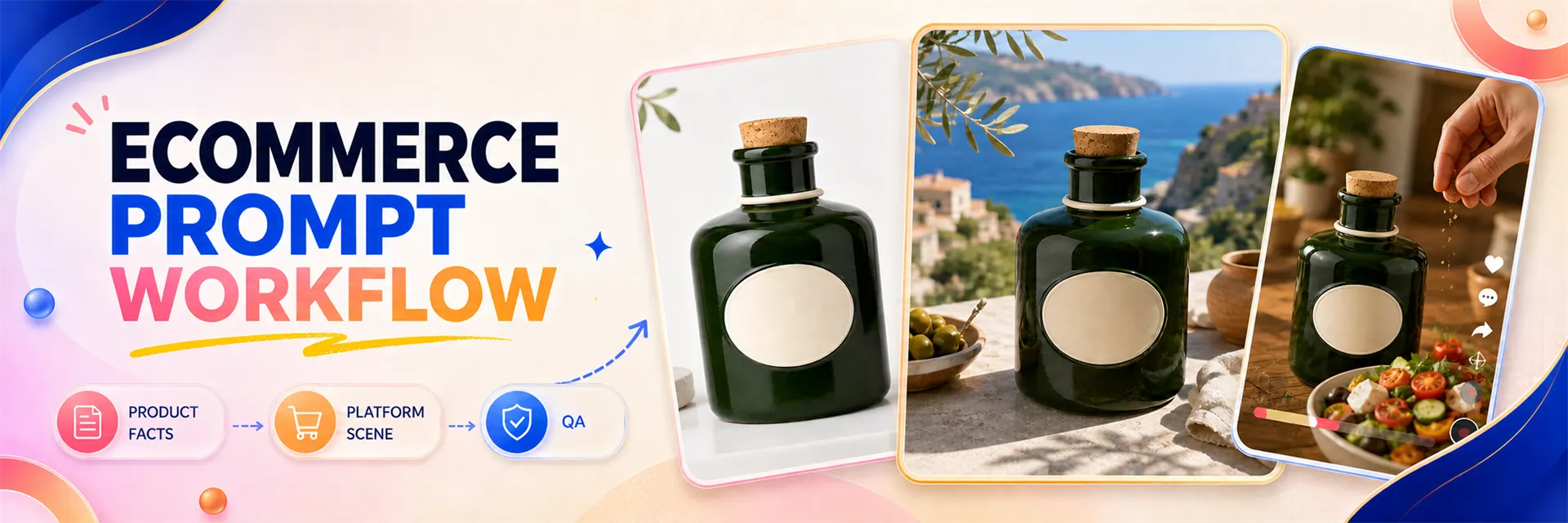
Whether an e-commerce product image prompt is well-written doesn’t depend on how many photography terms it uses, but rather on whether it clearly communicates three key points: what the product must look like, which channel the image will be used for, and which details absolutely cannot change. Simply writing “high-end, cinematic, commercial photography” leaves room for the model to interpret freely, causing the bottle’s shape, number of accessories, materials, and packaging text to drift unpredictably.
A more reliable approach is to first organize the product facts, then describe the platform-specific scene, and finally add details about composition, lighting, and prohibited elements. You can generate test images using this template in PixPix or copy complete examples from open-source e-commerce prompt libraries and replace the product information accordingly.
Quick Answer
GPT Image 2 e-commerce product image prompts should include six components: image purpose, product facts, scene background, composition and shot, lighting and materials, and prohibited elements. First lock down unchanging product attributes such as bottle shape, color, parts, and quantity, then adjust the scene specifically for Amazon, Shopify, or TikTok Shop. Change only one major variable at a time, verify each element after generation, and avoid launching directly based solely on “it looks good.”
Table of Contents
What problems does an e-commerce product image prompt that can go live solve
How to rewrite the same product into three distinct platform visuals
I. What problems does a GPT Image 2 e-commerce product image prompt that can go live solve?
E-commerce images are not isolated “pretty pictures.” The same product often requires white-background identification images, brand‑specific scene shots, close-up details, usage scenarios, and social media assets. If you start with a new prompt every time, the bottle’s proportions, shoe sole patterns, earphone counts, or clothing fits may easily change, resulting in five similar products instead of five distinct images of the same item.
Product constants refer to visible facts that remain unchanged across any scenario—such as outline, color, material, number of components, opening/closing mechanisms, and packaging placement. Backgrounds, models, lighting, and camera angles can vary; these core facts must stay consistent.
1. Prioritize product recognition over style
The primary goal of a prompt isn’t “high-end aesthetics,” but rather ensuring viewers can correctly identify the product. For example, if a deep green ceramic oil bottle turns into a transparent glass bottle after generation—even with beautiful lighting—it still cannot serve as promotional imagery for the original product. It’s best to use your own product photos as references for real SKUs; purely text‑generated images are better suited for fictional products, concept validation, or early visual proposals.
2. Translate platform names into clear visual tasks
Simply stating “Amazon style” or “Shopify style” is too vague. The prompt should further specify: whether a pure white background or a lifestyle setting is required, how much of the frame the product should occupy, whether props can appear, whether space needs to be reserved for copy, and whether the final output should be landscape, square, or portrait. Platform names merely provide context; what truly shapes the result are observable visual requirements.
3. Separate creative suggestions from platform rules
White backgrounds, natural scenes, direct flash, or model poses are visual choices; category restrictions, main image backgrounds, text, and border requirements should be verified against the current rules of your marketplace. For example, relevant announcements on the Amazon Seller Forums provide some guidelines for a pure white background in main images, specifying RGB values of 255, 255, 255, but sellers should still check the latest requirements for their specific marketplace and category. View Amazon Seller Forums guidelines
II. Create a product fact sheet before generating images—don’t rush into choosing a photography style.
The product fact sheet doesn’t need to be long, but it must enable someone who has never seen the product to describe it accurately. It’s recommended to divide the information into two sections: “must-retain” and “optional changes.” After completing this, decide whether to use text-to-image generation or modify an existing reference image.
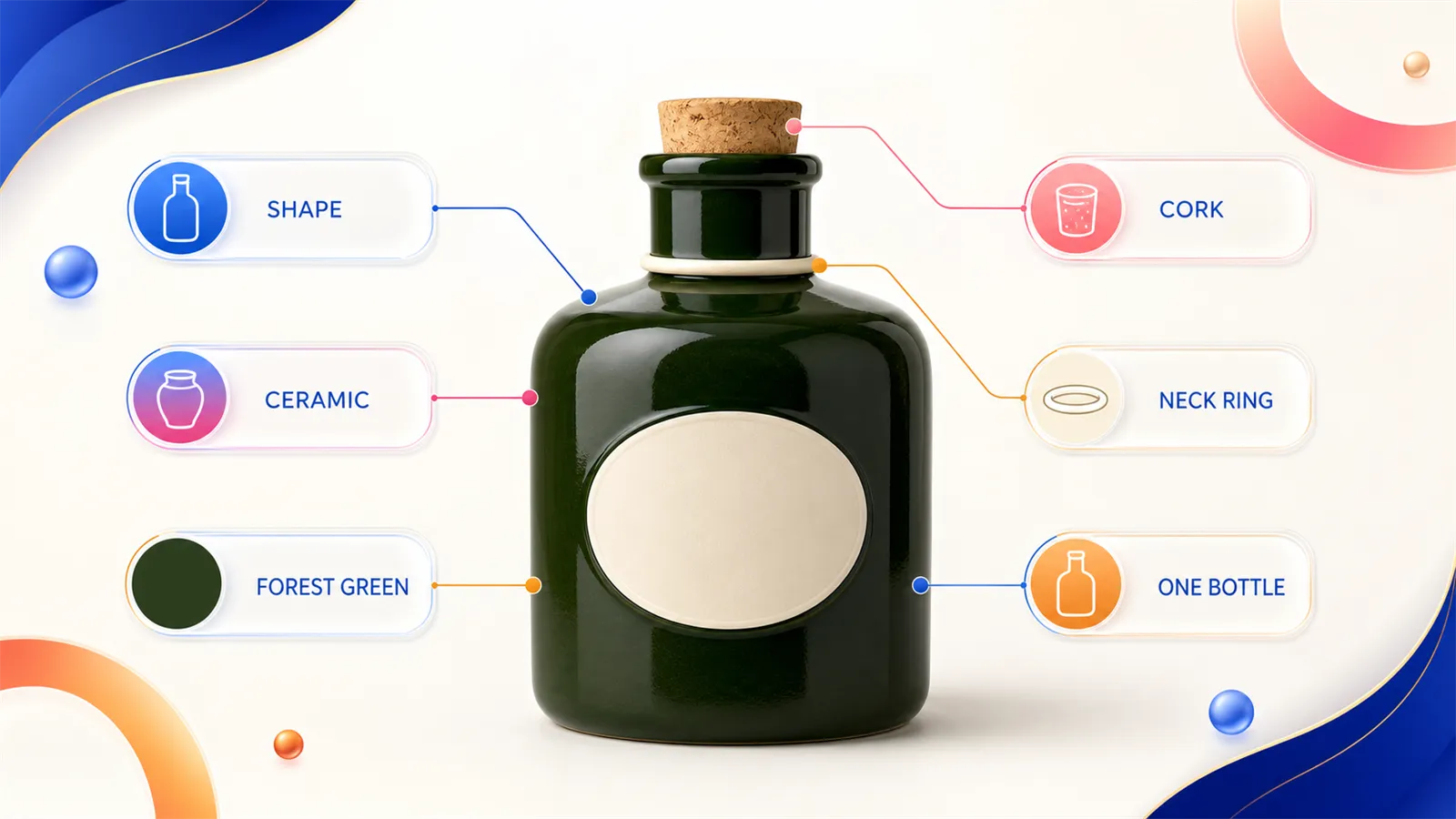
The product fact sheet should clearly state unchangeable details such as shape, material, color, stopper, neck ring, and quantity.
Checklist | Content that must be specified | Example |
|---|---|---|
Product identity | Category, quantity, and whether it’s part of a set | Exactly one ceramic olive oil bottle |
Outline structure | Height, width, opening, handle, and accessories | Wide-shouldered body, short cylindrical neck, and a cork stopper |
Color and material | Primary color, secondary color, surface sheen, and texture | Deep forest green glazed ceramic with a cream-colored neck ring |
Packaging text | Content that must be retained, replaced, or prohibited from generation | No brand name, no legible label text |
Optional variations | Background, props, lighting, lens, and subjects | White backdrop studio shots, dining table scenes, adult cooking actions |
If labels, caps, or shoelaces in the reference image are obscured, don’t let the model guess. Reshoot from another angle, or explicitly specify in your prompt that the obscured parts must remain unchanged. If the input information is incomplete, subsequent instructions like “hyper-realistic, 8K, cinematic lighting” cannot compensate.
Shopify’s product photography guide also recommends keeping the camera and tripod position consistent during shooting, and maintaining continuity across a series of images through white backgrounds, angles, and post-processing. These principles apply equally to preparing reference images for AI-generated product visuals. View Shopify Product Photography Guide
III. The six-part structure of GPT Image 2 prompts for e-commerce product images
The following structure is suitable for saving as a team template. Its value lies not in writing each section very long, but in making it immediately clear when something is missing.
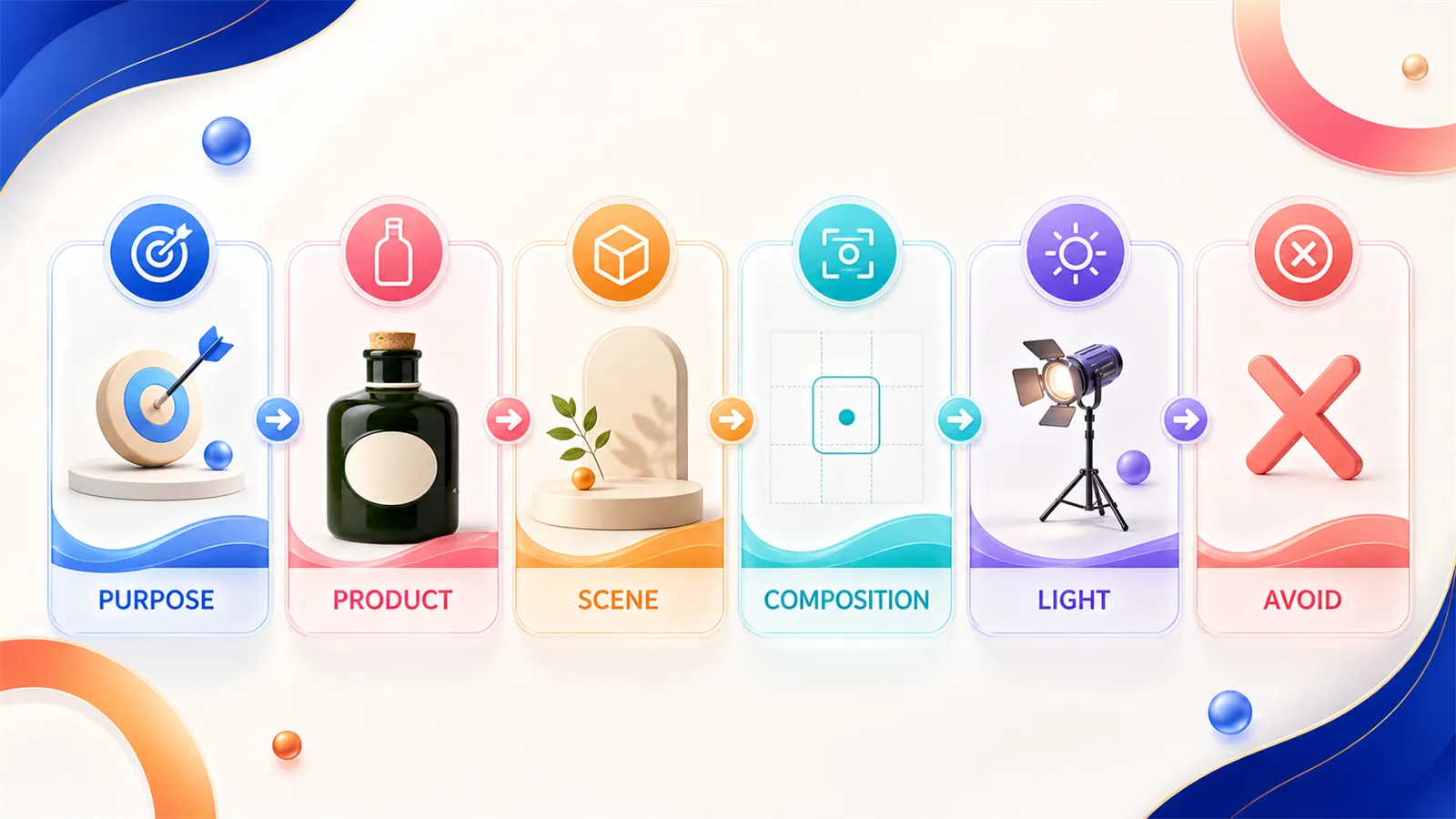
Purpose, Product, Scene, Composition, Light, and Avoid together form a reusable prompt framework.
Image purpose: Whether it’s the main image, brand visual, detail shot, social ad, or usage scenario.
Product facts: Fully describe the product’s invariant attributes—don’t just list the product name.
Scene background: Location, surface, number of props, and whether the background is blurred.
Composition and shot: Angle, subject proportion, cropping, safety margins, and aspect ratio.
Lighting and materials: Light source direction, softness/hardness, color temperature, and any real textures that need to be preserved.
Prohibited elements: Extra products, incorrect components, fictional text, logos, watermarks, distorted hands, and unsafe gestures.
图片用途:[平台] 的 [素材类型]
产品事实:正好 [数量] 个 [商品],轮廓为 [...],材质为 [...],必须保留 [...]
场景背景:商品位于 [...],只出现 [允许的道具及数量]
构图镜头:[画幅],[角度],商品约占画面 [...],保留 [...]
光线材质:[主光方向与软硬],准确呈现 [...]
禁止项:不要出现 [...],不要改变 [...],不要生成文字、品牌、水印或重复商品
Quantities should be specified precisely—“exactly one,” “three cans,” “twelve pieces arranged in a 3×4 grid”—rather than vague terms like “some” or “several.” The generative model reconstructs the image rather than simply replicating data from a database. Components that are easily miscounted, misaligned, or distorted should be explicitly listed once in both the product facts and the prohibited items sections.
IV. How to adapt the same product into visuals for Amazon, Shopify, and TikTok Shop
When adapting for different platforms, only replace the scene, composition, and tone; keep the entire product fact section intact. This makes it easier to identify errors: if the bottle shape is wrong, check the product constraints; if the image doesn’t match the target channel, adjust the platform-specific variables accordingly.
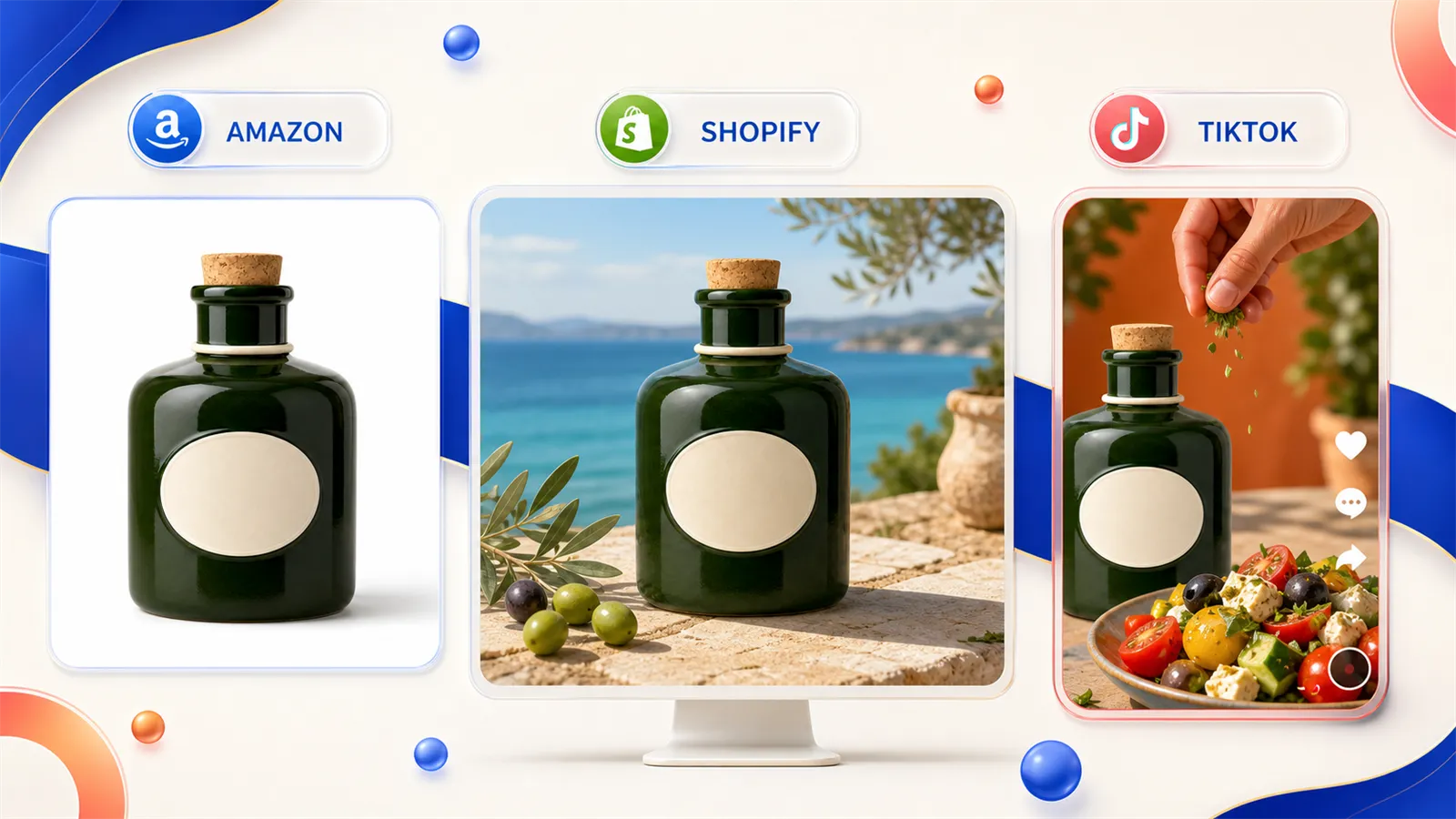
For the same product, maintain the original bottle shape while adjusting the scene and framing according to the specific content requirements of Amazon, Shopify, and TikTok Shop.
Channel-specific purposes | Key issues to address first | Focus points for prompts | Common pitfalls |
|---|---|---|---|
Amazon main image | Quickly identifying the correct product | Clear outline, clean background, accurate colors, subtle contact shadows | Add decorative props, or use dramatic shadows to frame the product |
Shopify brand scenes | Integrate the product into the brand context | Consistency in material, space, negative space, and lighting across grouped images . | The atmosphere overshadows the product, with irrelevant objects appearing in the scene |
TikTok Shop assets | Quickly explain the purpose on mobile devices | Vertical format, realistic adult actions, clear moments of use, and the main subject unobscured by the interface | Copying studio shots or depicting impossible hand–product interactions |
1. Amazon white-background version: reduce variables
为 Amazon 商品主图创建一张竖版电商照片。正好一只深森林绿色釉面陶瓷橄榄油瓶,宽肩瓶身、短圆柱瓶颈、一个天然软木塞和一圈奶油色颈环。商品完整居中,纯白无缝背景,柔和高位棚拍光,瓶体下方只有轻微接触阴影。准确保留瓶型、绿色釉面、软木塞和颈环。不要出现食物、餐具、文字、Logo、第二只瓶子或裁切瓶塞。2. Shopify scene version: enhance brand context without altering the product
为 Shopify 产品页创建一张品牌生活方式主视觉。保持同一只深森林绿色陶瓷橄榄油瓶的宽肩瓶身、短瓶颈、单个软木塞和奶油色颈环不变。将瓶子放在阳光照入的浅色石灰岩餐桌上,旁边只放一只白色小碟和一枝橄榄叶。使用温暖侧光和清晰的陶瓷微纹理,完整展示瓶身,并在右上方保留干净留白。不要增加第二只瓶子,不要生成标签文字,不要让叶片遮住瓶颈。3. TikTok Shop usage version: actions must be realistic
创建一张适合 TikTok Shop 竖版素材的真实使用场景。保持同一只深森林绿色陶瓷橄榄油瓶的形状、软木塞和奶油色颈环不变。一名成年厨师在明亮家庭厨房中用双手安全地拿起瓶子,将少量橄榄油倒入浅色陶瓷碗。近距离手机摄影构图,商品和动作位于画面中央安全区域,硬质日光混合轻微直闪。不要出现儿童、额外手指、悬空瓶塞、第二只瓶子、品牌文字或油液穿过瓶身。These guidelines are creative production suggestions and do not constitute uniform platform‑imposed standards. TikTok for Business’s Creative Center provides current ad examples, keywords, and creative resources; before launching, you can use it to review recent common content expressions in your target market. View TikTok Creative Center
V. After generation, don’t select images based on intuition—use a checklist to verify each item.
An image may have a strong atmosphere, but that doesn’t mean it’s ready for launch. First zoom in to examine the product, then scale down to mobile dimensions to assess composition. If structural errors are found, avoid simply “making it more sophisticated” by reshuffling elements; instead, translate these issues into actionable constraints for the next round.
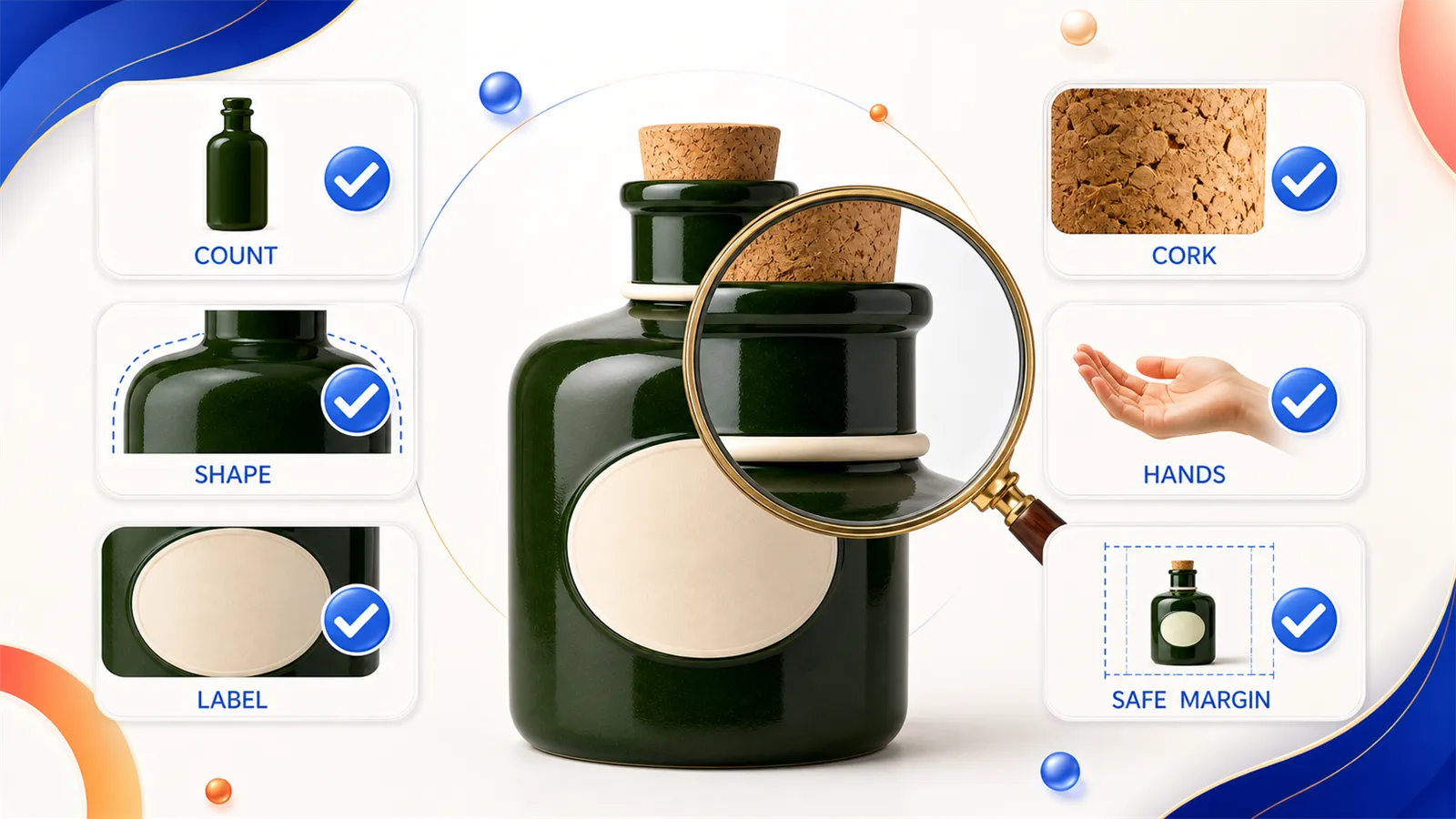
Break down quantity, outline, cork, label, hand position, and safety margins into checkable items.
Product identity: Confirm whether quantity, outline, color, accessories, and materials match the product fact sheet.
Packaging information: Check for fictitious brands, gibberish, incorrect capacities, or distorted labels.
Physical relationships: Verify whether shadow direction, reflections, liquids, opening/closing mechanisms, and weight-bearing are reasonable.
Character details: Ensure natural hand count, grip position, joint angles, and points of contact with the product.
Platform composition: Assess whether frame ratio, subject proportion, negative space, and mobile‑friendly safe zones are appropriate.
Compliance and rights: Confirm no unauthorized use of trademarks, protected characters, third-party images, or unapproved portraits.
Record reasons for disqualification as concise statements—for example, “cork missing,” “bottle changed from ceramic to glass,” or “extra finger on right hand.” In the next round, address only these issues while explicitly maintaining unchanged aspects.
VI. Five common failure categories in GPT Image 2 prompts for e‑commerce product images
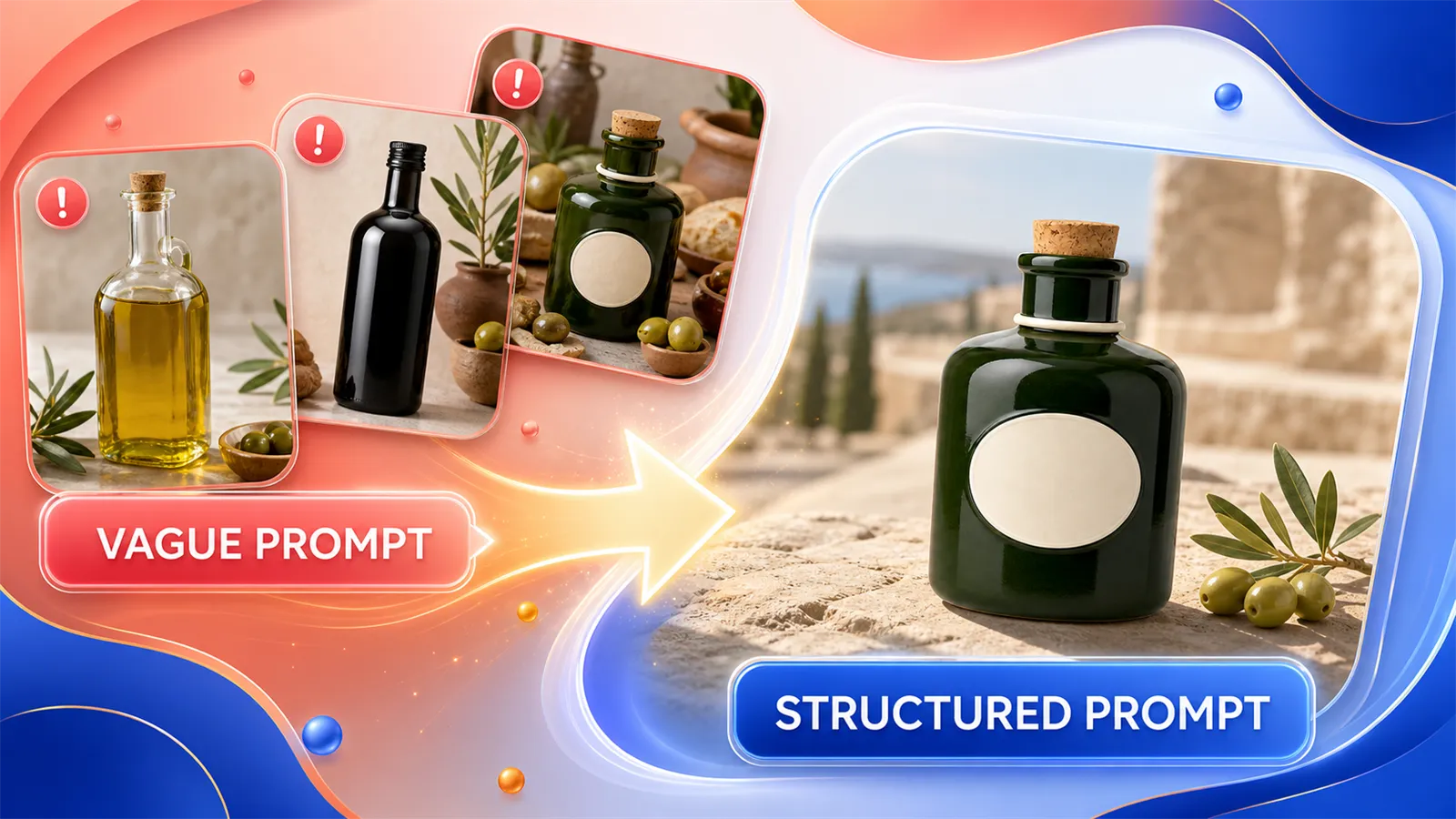
Vague prompts can lead to loss of control over bottle shape, material, and props; structured prompts help re‑lock product constants.
1. Prompts contain only style descriptors, lacking product specifics
“High‑end, luxurious, magazine‑style” describes ambiance rather than the product itself. When revising, first remove half of the adjectives, then supplement outlines, materials, colors, and components. Once the product is stable, reintroduce stylistic elements.
2. Props are described in greater detail than the product
If the prompt asks for a three-line description of flowers, curtains, and a tabletop, but the product is described in only six words, the model will naturally focus on the scene. Limit the types and quantities of props, and specify which props must not obscure the product.
3. Adjust background, angle, lighting, and proportions all at once in one round
When the results are incorrect, it’s hard to pinpoint which variable caused the issue. First, fix the product and camera lens, then test the background; after selecting a background, adjust the lighting. A table of contents diagram is especially suitable for “changing only one element at a time.”
4. Let the model guess brand names and factual product features
Brand names, capacity, ingredients, and certification marks appearing on real packaging should not be left to the model to generate freely. When precise text is required, retain the original packaging area or use verified design files in post-production. Do not treat generated feature information as actual product facts.
5. Treat preview images as final deliverables
AI-generated previews are useful for finding direction, but before official listing, you still need to verify product authenticity, platform requirements, intellectual property rights, and local advertising regulations. For products involving food, skincare, children’s items, medical devices, or safety features, the review standards must be even stricter.
VII. How to Use an Open-Source E-commerce Prompt Library to Reduce Repeated Trial-and-Error
ecommerce-gpt-image-prompts is an open-source prompt library tailored for global e-commerce scenarios. At the time of writing this article, the repository contains 57 product categories, 230 single-image prompts, 230 corresponding previews, and has generated READMEs in 16 languages. Each entry also records platform details, intended use, aspect ratio, product constants, prohibited elements, author, source, and licensing information.
When using it, avoid blindly copying entire sections. We recommend following this sequence:
Find relevant examples by product category or platform.
First examine the preview image to confirm that the composition aligns with your goals.
Copy the prompt structure, replacing fictional product details with your own SKU information.
Upload reference images of products you’re authorized to use, and generate a test version in PixPix .
Verify against the product fact sheet, then tweak one variable before moving on to the next round.
The forest-green ceramic olive oil bottle example in the repository preserves five platform versions along with their respective previews, making it ideal for observing how to write prompts while keeping the product constant and varying the scene.View the structured prompt for the olive oil bottle
VIII. Common Questions About GPT Image 2 E-commerce Product Image Prompts
1. Should GPT Image 2 product image prompts be written in Chinese or English?
Choose the language in which your team can most accurately describe the product. Clearly stating product structure, quantity, and prohibited elements is more important than mechanically translating into English. When collaborating across languages, maintain a unified product fact sheet and translate scene descriptions separately; do not automatically alter brand names, model numbers, or packaging text.
2. Should e-commerce product images be created via text-to-image generation or modified from reference images?
For real SKUs, prioritize modifying reference images you’re authorized to use, since product outlines and packaging must remain verifiable. Text-to-image generation is best suited for fictional products, conceptual proposals, and early-stage style testing. Regardless of the method used, the generated results always require manual verification, and reference images cannot guarantee that every detail remains unchanged automatically.
3. Why does the result still appear grayish despite specifying a pure white background in the prompt?
“A white studio” does not equate to a pure white pixel background. The prompt should explicitly state “pure white seamless background,” while limiting environmental reflections and heavy shadows. After generation, use a color picker tool to check edge areas; if the platform requires pure white, necessary background corrections should be made during post-processing rather than relying solely on visual judgment.
4. Can open-source prompts and previews be used commercially?
First, check the specific entry’s author, source, license, and provenance records before determining the scope of use. An open-source license does not automatically grant permission for third-party trademarks, portraits, or product packaging. When using such materials for real-world advertising, ensure that input content, generated output, and distribution channels all comply with your rights and regulatory requirements.
9. Start with a test image and save the correct structure.
When writing GPT prompts for e-commerce product images, first lock in the product details, then decide on the platform’s visual context. The six-section template doesn’t need to be exactly the same length each time, but it must include product facts, composition tasks, and prohibited elements. After generating, review against the checklist to identify errors and refine them into clear constraints for the next round.
You can start with the product you know best: organize a product fact sheet, find a similar structure from an open-source repository, and conduct one test each for a white-background version and a scene-based version using PixPix . If the product appears consistent across both images, you can then expand to other platforms.
10. References and Fact-Checking Resources
Shopify Help Center: Taking product photographs—accessed July 24, 2026.
TikTok for Business: About Creative Center—accessed July 24, 2026.
Amazon Seller Forums: New Main Image Requirement—accessed July 24, 2026.
ecommerce-gpt-image-prompts open-source repository—accessed July 24, 2026.