When creating e-commerce images for pet products, the challenge isn’t making the visuals cute—it’s ensuring that the pets, products, and usage scenarios all feel believable. The buckle on a harness mustn’t appear or disappear arbitrarily; the mesh windows of a cat carrier can’t be blocked; and the flavors and net weights listed on snack packaging must remain unchanged in the generated image. Below are 15 GPT Image 2 prompts tailored to the pet industry, organized into three categories: product main images, lifestyle scenes, and advertising materials. Each template includes replaceable variables and specifies what to verify after generation.
GPT Image 2 supports both text and image inputs and can also be used for generating and editing images. For real-world products already available for sale, prioritize uploading clear product photos and set the product itself as an immutable layer. For fictional concept products that haven’t yet taken definite form, it’s best to start directly from textual descriptions. This approach yields more consistent results than simply piling up adjectives like “high-end,” “realistic,” or “commercial photography.”
Open PixPix, upload your product reference image, then copy the prompt below, replacing the bracketed placeholders with your own product details.
I. First, create a product identity card for pet supplies
Before starting generation, write down the unchanging characteristics of each product type as an “identity card.” Subsequent prompts should repeatedly reference this card, helping the model avoid altering colors, materials, or adding extra components across different visualizations.
Variables | Fill in the content | Pet product example |
|---|---|---|
[PRODUCT] | Product name and intended use | Y-shaped chest harness for medium-sized dogs |
[IDENTITY] | Shape, color, material, number and placement of parts | Sage-green ripstop fabric, orange edging, two black buckles, one D-ring on the back |
[PET] | Animal species, size, coat color | Adult medium-sized Labrador Retriever, light yellow short fur |
[CHANNEL] | Image usage location | Main product page image, social media ads, brand homepage banner |
[RATIO] | Target aspect ratio | 1:1, 4:5, 16:9 |
[LOCKED TEXT] | Packaging text that must remain unchanged | Brand name, flavor, specifications, net content |
If using real product photos, place the following sentence at the beginning of each prompt:
Use the uploaded product image as both the identity reference and the edit target. Change only the setting, lighting and composition. Keep the product silhouette, proportions, color, materials, seams, hardware, label placement and all readable packaging text unchanged.II. Five Prompt Templates for Pet Product Main Images and Catalog Pages
1. White‑background main image of a pet carrier
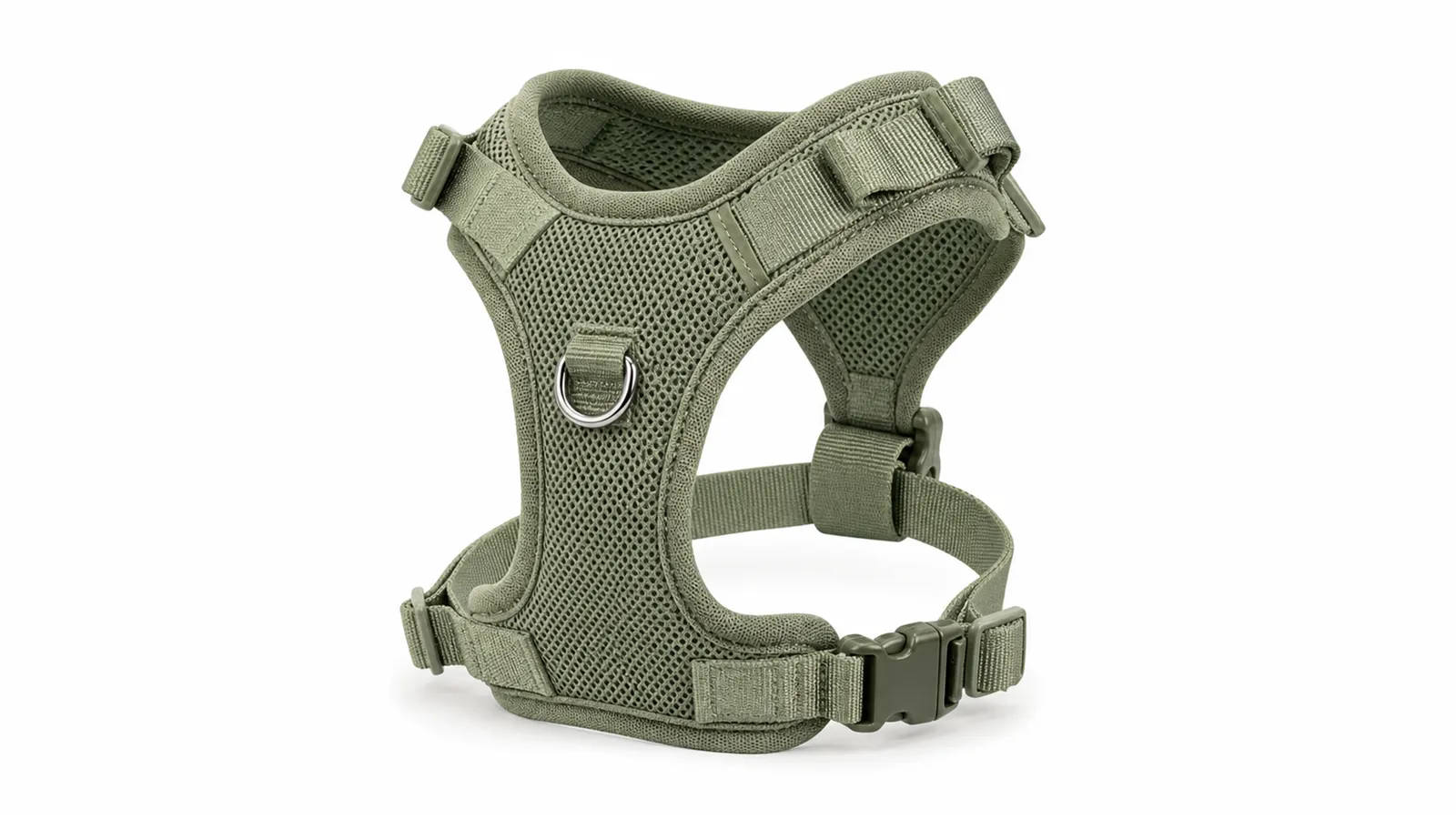
Suitable for: Products such as chest harnesses, collars, leashes, and other items where the structure needs to be clearly visible. The key is to fully display buckles, strap routing, and adjustment mechanisms.
Create one photorealistic [RATIO] ecommerce main image of exactly one [PRODUCT]. Product identity: [IDENTITY]. Arrange it naturally opened and lying flat, viewed from a slight top-down front angle, with every strap, buckle, slider and attachment ring fully visible. Use a seamless pure white background, even high-key studio lighting, crisp textile texture and one restrained grounding shadow. Keep the product centered with generous margins. No pet, person, packaging, text, logo, prop, duplicated strap, missing buckle, twisted hardware, floating part, collage, border or watermark.Inspection: First count the buckles and adjustment rings, then check that the left–right structure, strap attachment points, and colors match the product’s identification card.
2. Colorful catalog image of a pet bowl or automatic feeder
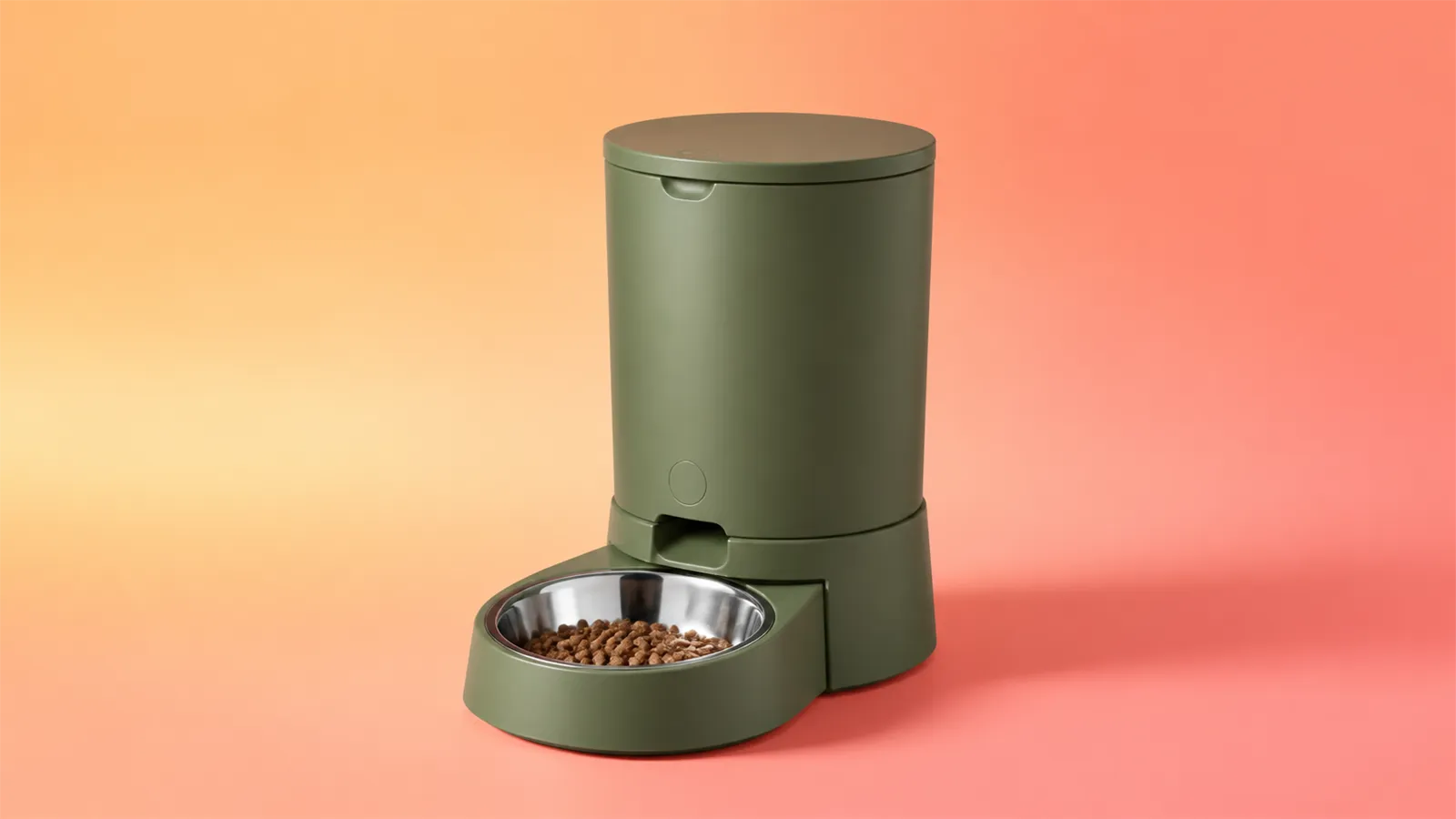
Suitable for: Pet bowls, water dispensers, and automatic feeders. The image may feature brand colors, but avoid letting decorations obscure feeding openings, buttons, or food storage compartments.
Create a clean [RATIO] catalog photograph of one [PRODUCT]. Preserve [IDENTITY]. Place the product on a low matte pedestal in [BRAND COLOR], against a lighter tonal studio backdrop. Use a front three-quarter angle that clearly shows the bowl opening, control panel and food reservoir without changing their size or position. Soft upper-left key light, controlled edge highlights, realistic plastic or metal texture, subtle contact shadow. No animal, human, food spill, extra bowl, invented button, screen text, logo, floating object, glossy CGI, border or watermark.Inspection: Check the opening proportions, number of buttons, power supply location, and food storage design; do not accept versions that “look more premium but are no longer the same product.”
3. Front‑facing main image of pet snack packaging
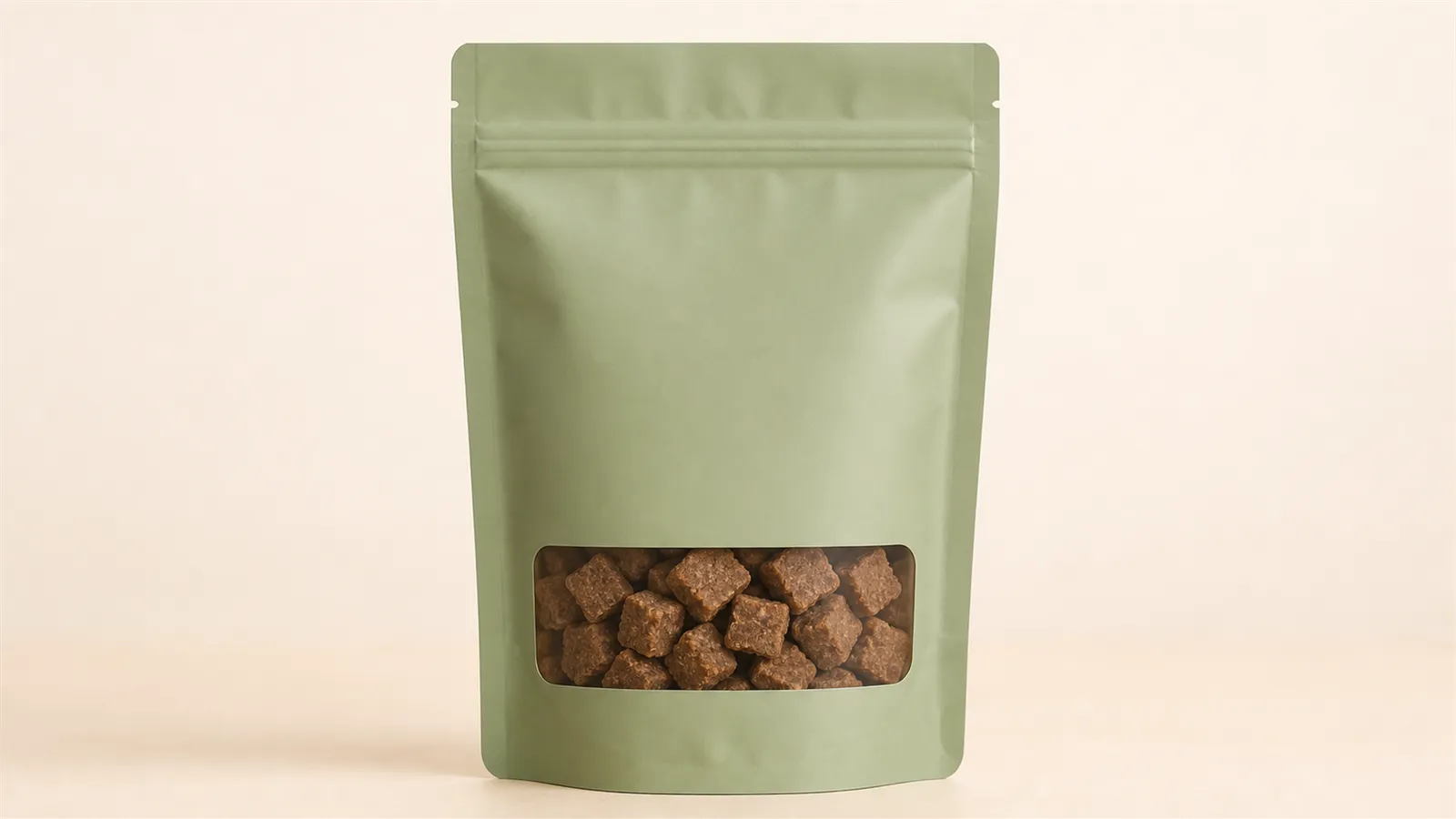
Suitable for: Bagged snacks, freeze‑dried treats, cat sticks, and nutritional supplements. Packaging text is part of the product’s identity and must remain unchanged.
Edit the uploaded package photo into a premium [RATIO] ecommerce packshot. Keep the exact pouch shape, seal, gusset, color blocks, brand mark, flavor name, net weight and all text listed in [LOCKED TEXT] unchanged and readable. Stand one sealed package upright at a slight three-quarter angle on a seamless warm-white background. Use broad softbox lighting, realistic flexible-film creases and a soft base shadow. Remove only dust, background clutter and unwanted reflections. Do not rewrite, translate, invent or beautify any label text. No extra package, loose treats, pet, hand, badge, claim, collage or watermark.Inspection: Compare brand name, flavor, specifications, and net content word by word; also ensure that the package seal, bottom, and transparent window match the original image.
4. Flat‑lay image of a pet grooming kit
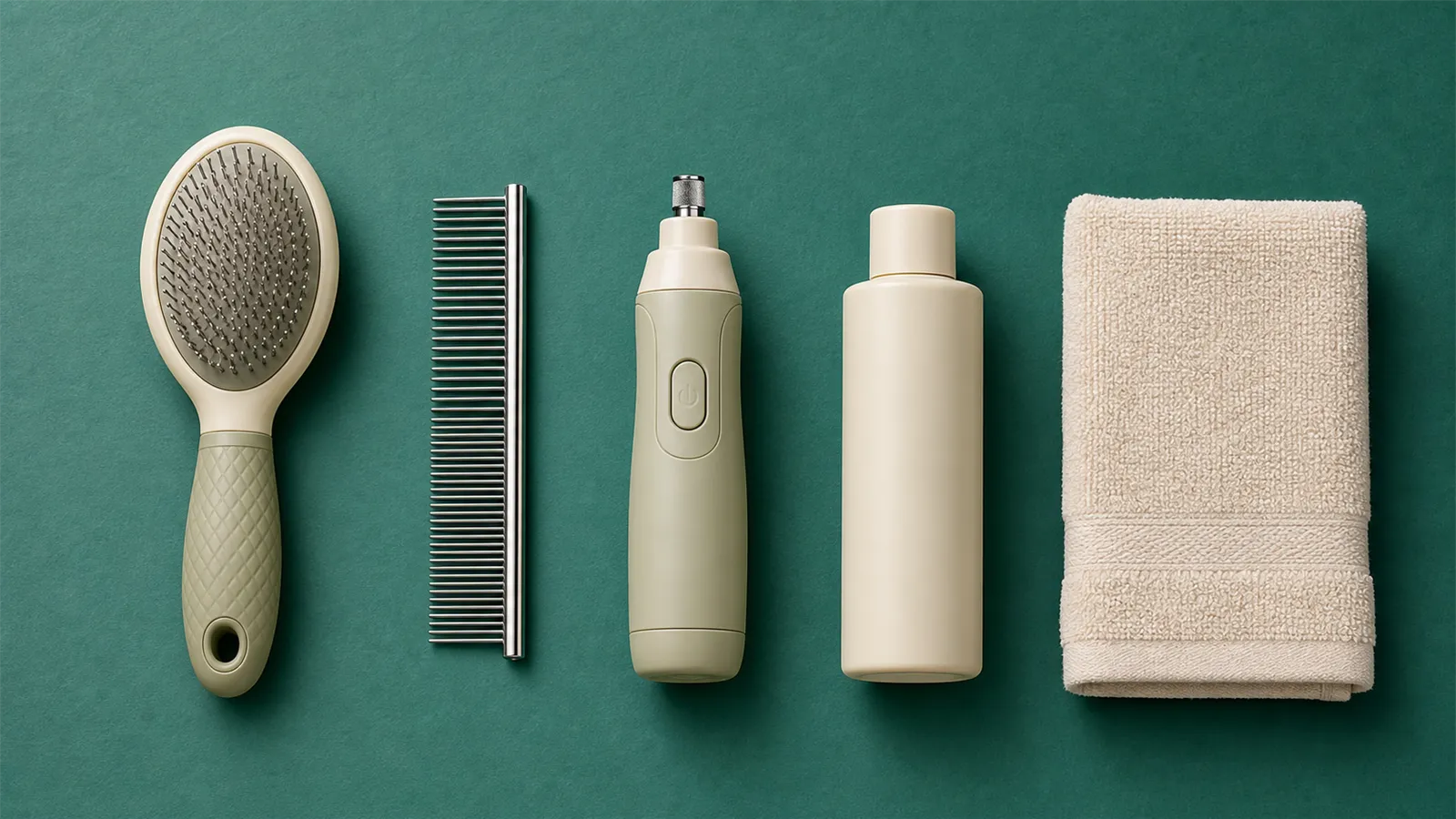
Suitable for: Fixed sets such as fur combs, nail clippers, and hair removal rollers. The prompt should clearly specify the number of items in the set to avoid models accidentally including extra accessories.
Create a top-down [RATIO] ecommerce flat lay of one complete [PRODUCT] set containing exactly [ITEM COUNT] items: [ITEM LIST]. Preserve the exact shape, color, material and handle details of every item. Arrange the set in a tidy functional grid on a light neutral background, with equal spacing and all pieces fully visible. Use soft diffused daylight, realistic metal, rubber and bristle textures, and very light natural shadows. No extra accessory, duplicate item, missing item, pet hair, animal, hands, packaging, labels, decorative text, border or watermark.Inspection: Ensure correct quantities, accessory types, and placement orientations; metal blades, bristles, and non‑slip rubber components must remain intact without deformation or adhesion.
5. Close‑up shots of pet product materials and craftsmanship
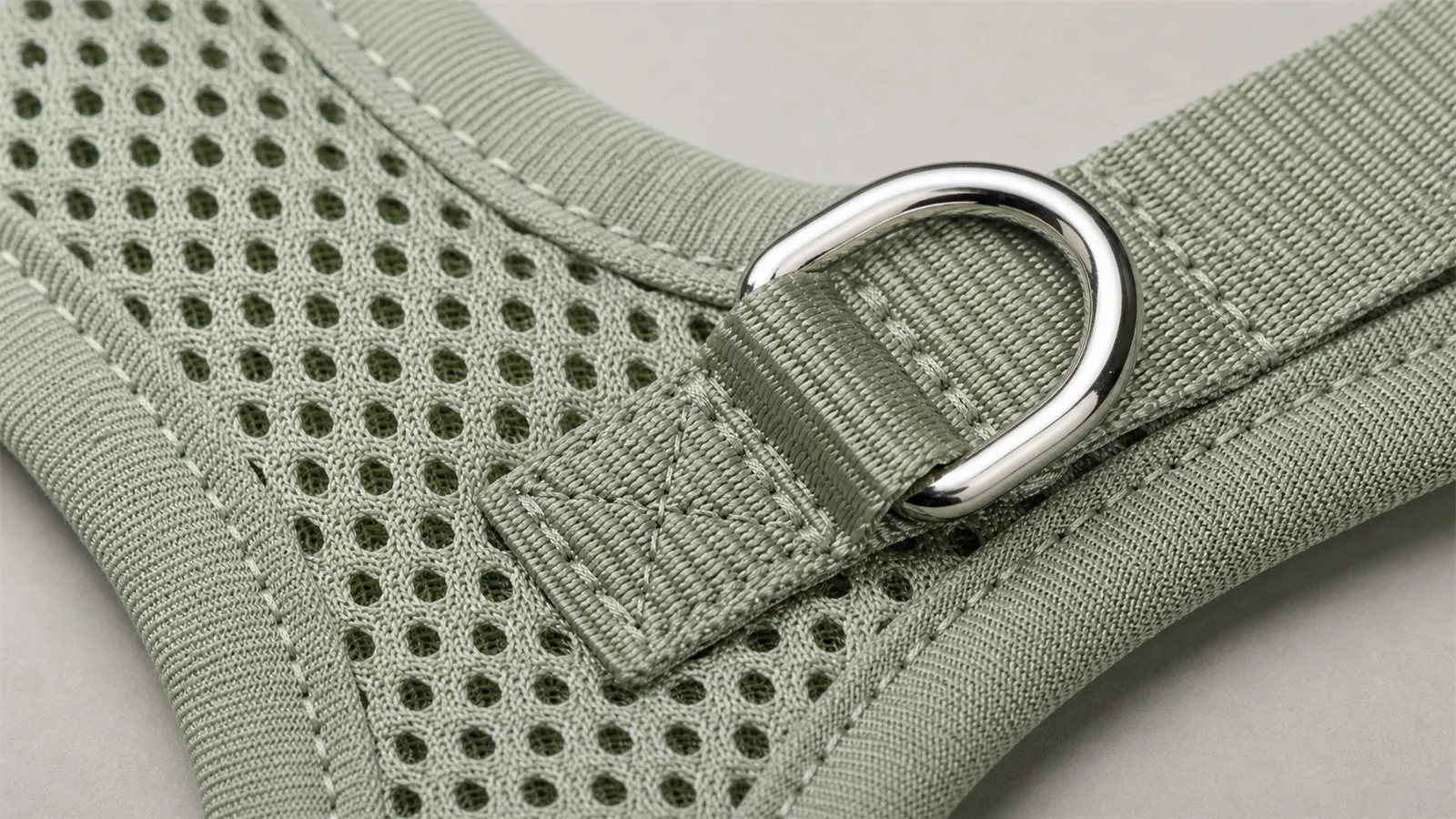
Suitable for: Details such as stitching on carriers, mesh fabric of cat carriers, bedding fabrics, and waterproof coatings—ideal for product detail pages.
Create one ultra-detailed macro product photograph of the [FEATURE AREA] on [PRODUCT]. Preserve [IDENTITY]. Show the real weave, stitching path, edge binding, hardware finish and material thickness at a believable scale. Use a shallow but sufficient depth of field so the entire feature area remains readable, neutral side lighting and natural microtexture. Keep the surrounding product softly visible for context. No fingers, pet, added seam, fake certification, text overlay, exaggerated fibers, damaged material, duplicate hardware, collage, border or watermark.Inspection: Close‑ups should demonstrate the actual structure rather than turning fabrics into exaggerated 3D textures; the number of stitches and the surface finish of hardware must remain unchanged.
III. Five Lifestyle Scene Prompt Templates for Pet Products
6. Home scene with a pet bed
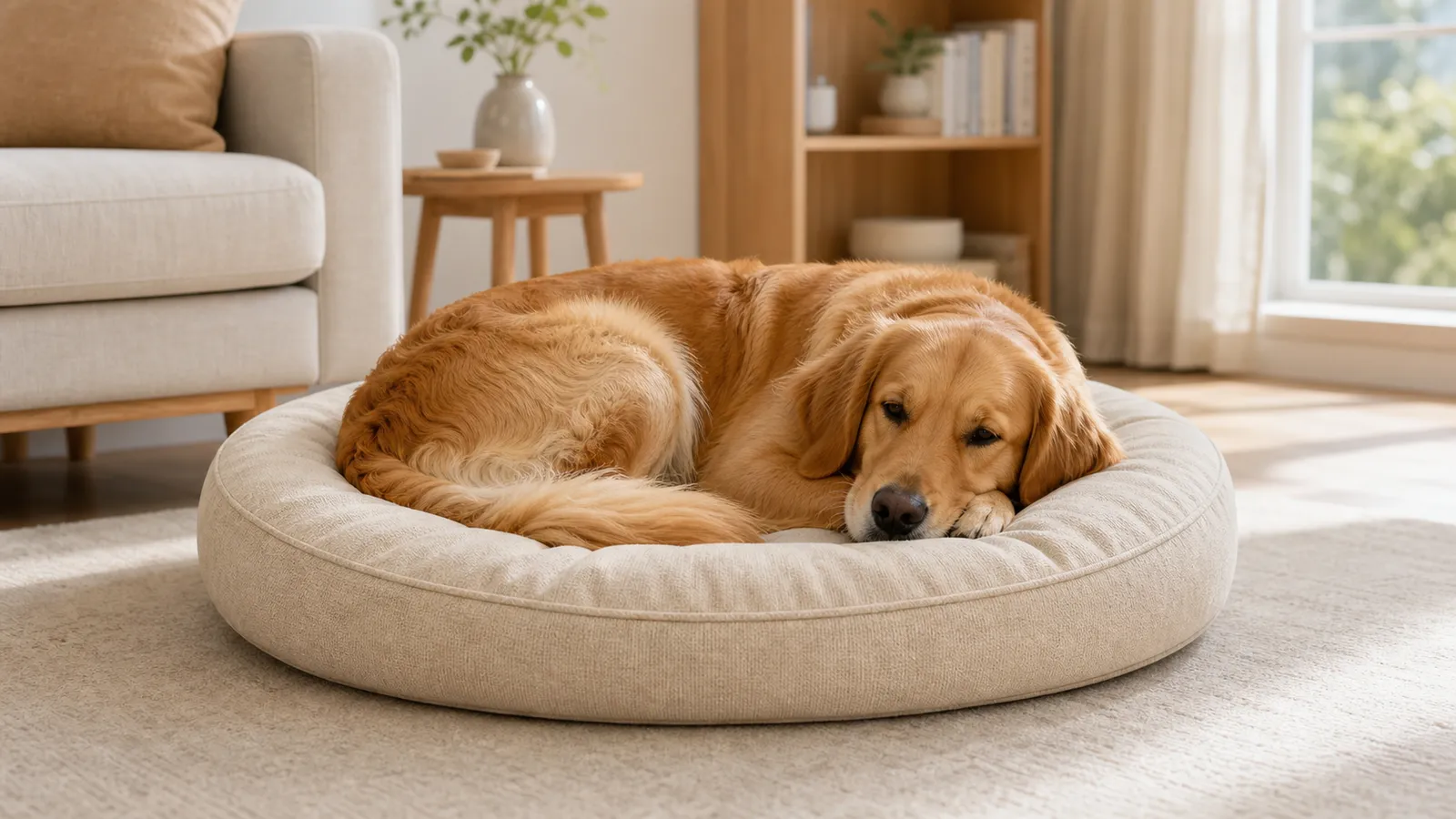
Suitable for: Pet beds, blankets, and sofa cushions. The scene should convey scale and home décor coordination, but must not alter the product’s thickness.
Create a photorealistic [RATIO] lifestyle image of [PET] resting naturally on [PRODUCT] in a bright, lived-in contemporary living room. Preserve [IDENTITY], including the bed silhouette, seam map, cushion thickness, fabric color and label position. Place the product fully on the floor beside a simple sofa, with soft morning window light and realistic fabric compression only where the pet's body touches it. Keep the pet anatomically natural and correctly scaled to the stated product size. No person, extra bed, blanket covering the product, warped paws, duplicate limbs, changed color, text, logo or watermark.Inspection: The pet’s size must match the product dimensions; the mattress should only slightly sink under pressure, without deforming into another shape.
7. Travel scene with a cat carrier
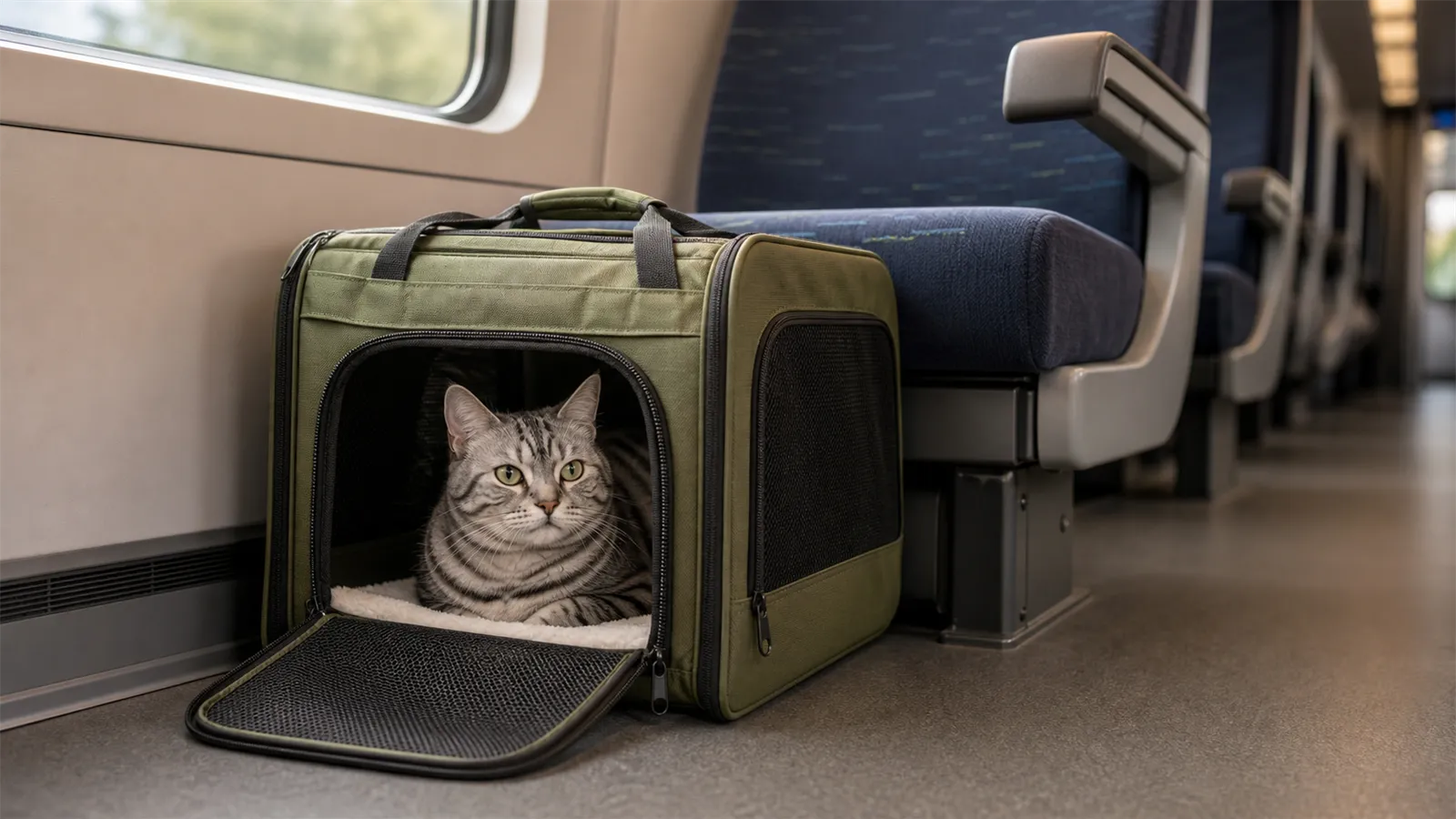
Suitable for: Cat carriers, airline crates, and car pet carriers. The focus should be on ventilation, space, and stable placement.
Create a calm [RATIO] travel lifestyle photograph of one [PRODUCT] placed securely on the floor beside a train seat, with [PET] sitting inside and looking through the open mesh panel. Preserve [IDENTITY], including the carrier shape, handles, zipper route, mesh window count and base structure. Use soft natural daylight, realistic canvas and mesh texture, clean travel context and a clear view of the ventilation panels. No human face, no open exterior door, no unsafe dangling strap, no blocked vent, no extra carrier, no malformed cat, no text, logo or watermark.Inspection: Mesh windows, zippers, and the base must remain intact; the cat’s body must not pass through the mesh, and the handle must not become an unreasonably large number.
8. Daily use scene of an automatic feeder
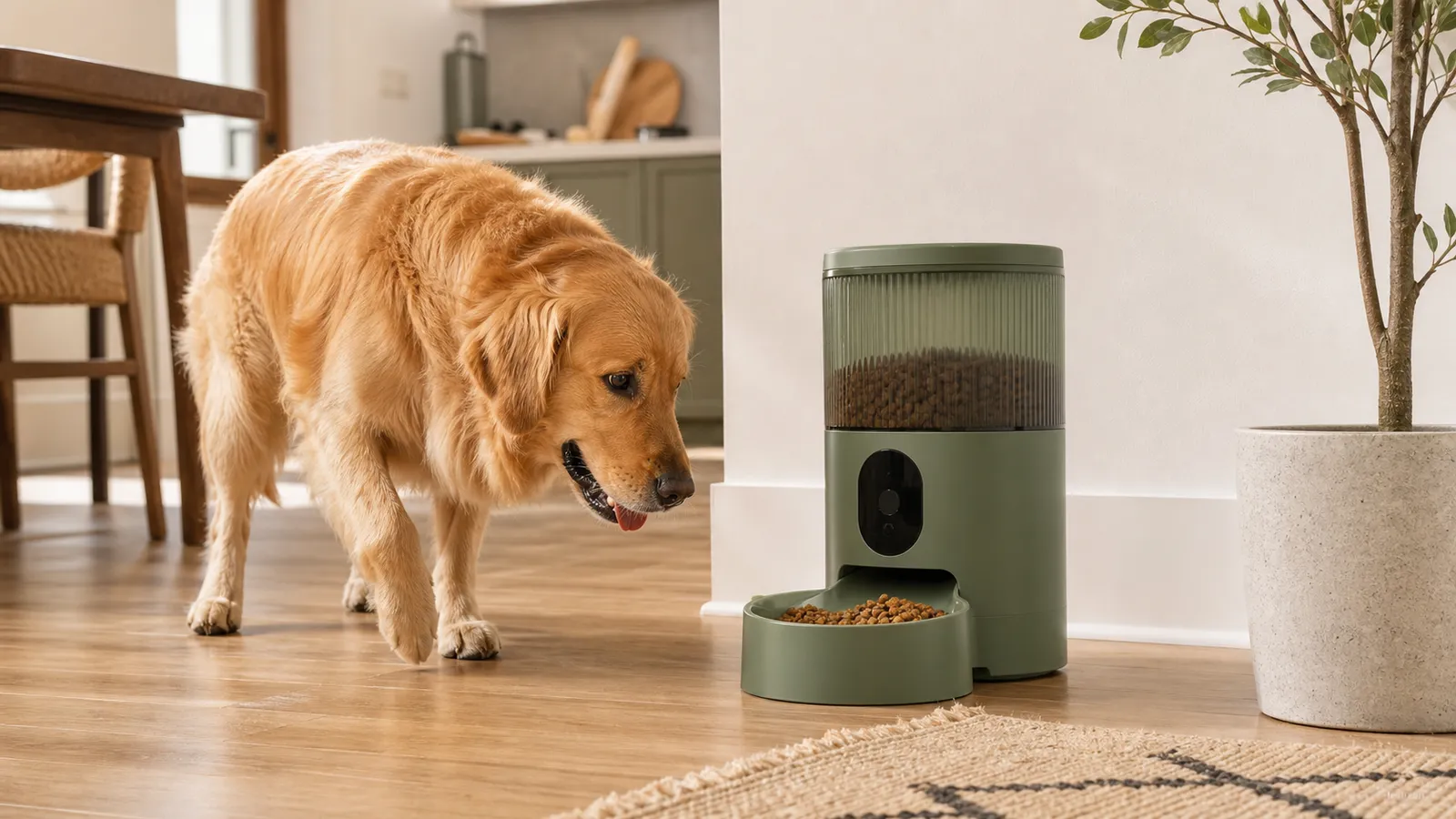
Suitable for: Automatic feeders, water dispensers, and smart pet appliances. Use visuals to illustrate actual usage—do not fabricate screen data.
Create a natural [RATIO] home-use photograph of [PET] standing beside [PRODUCT] in a tidy kitchen corner during breakfast. Preserve [IDENTITY]. Show a small realistic portion of dry food in the bowl and keep the pet's mouth near, but not inside, the dispensing mechanism. The device stands level on the floor with its controls visible and unchanged. Soft side daylight, honest home texture, no staged studio gloss. No person, second pet, overflowing food, invented app screen, extra button, changed reservoir, distorted muzzle, text overlay, claim, logo or watermark.Acceptance: The feeding port, food bowl, and control area must remain unchanged; the portion sizes should appear natural, and pets must not obscure the core structure.
9. Interactive Toy Motion Moments
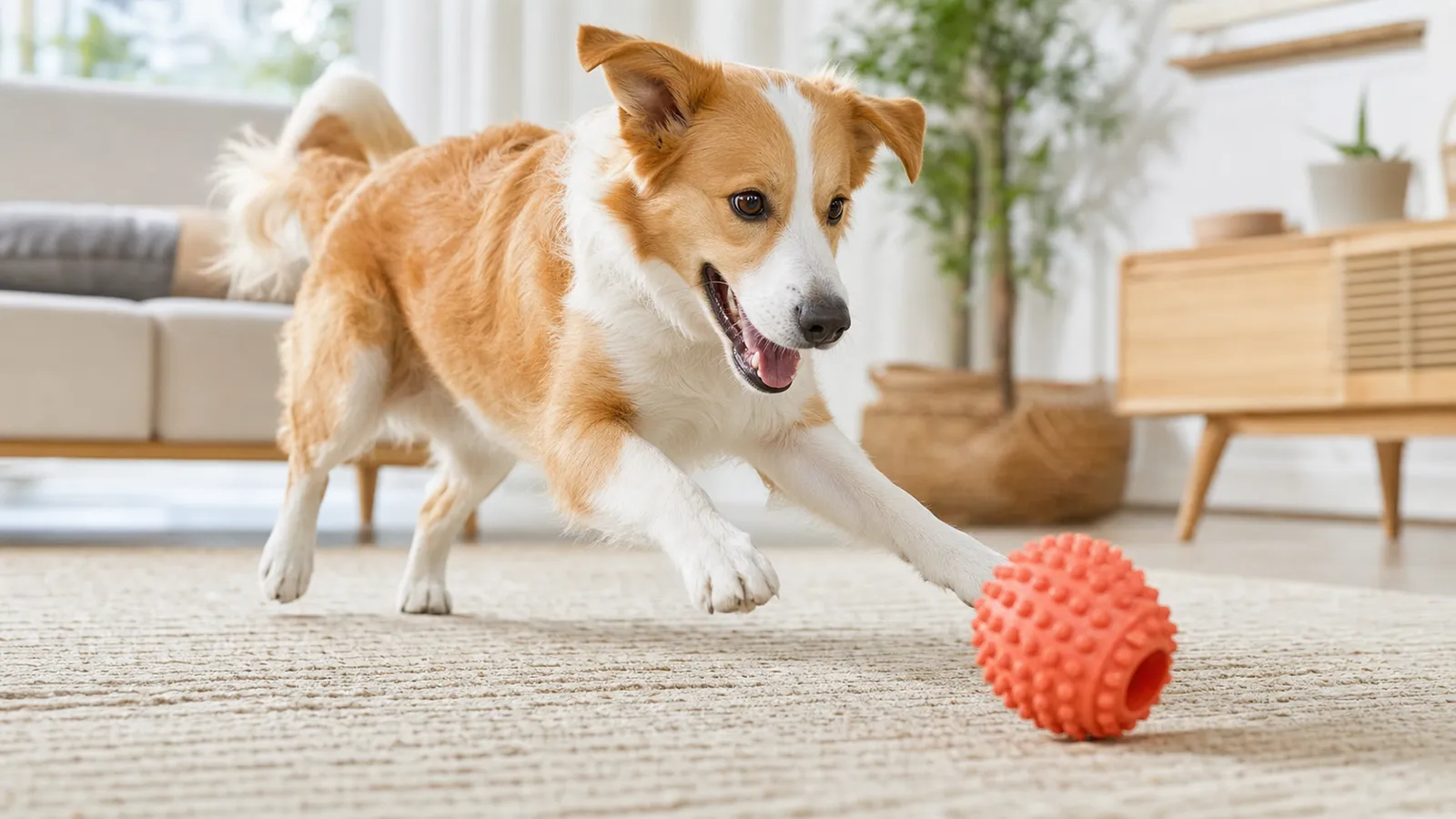
Suitable for: Kibble dispensers, frisbees, cat teaser toys, and puzzle toys. Ensure the motion appears lively, but avoid blurring the product due to fast movement.
Create a dynamic but product-readable [RATIO] lifestyle photograph of [PET] interacting with [PRODUCT] on a clean indoor rug. Preserve [IDENTITY]. Freeze the pet's playful motion with natural anatomy while keeping the entire product sharp, correctly scaled and unobstructed. Use bright indirect daylight, a low camera angle near pet eye level and a simple uncluttered background. No person, extra toy, flying food unless specified, aggressive behavior, warped legs, duplicated tail, motion blur on the product, changed color, text, logo or watermark.Acceptance: The product must be clearly identifiable; pay particular attention to whether the paw, tail, and mouth areas naturally interact with the toy.
10. Grooming Tool Care Scenarios
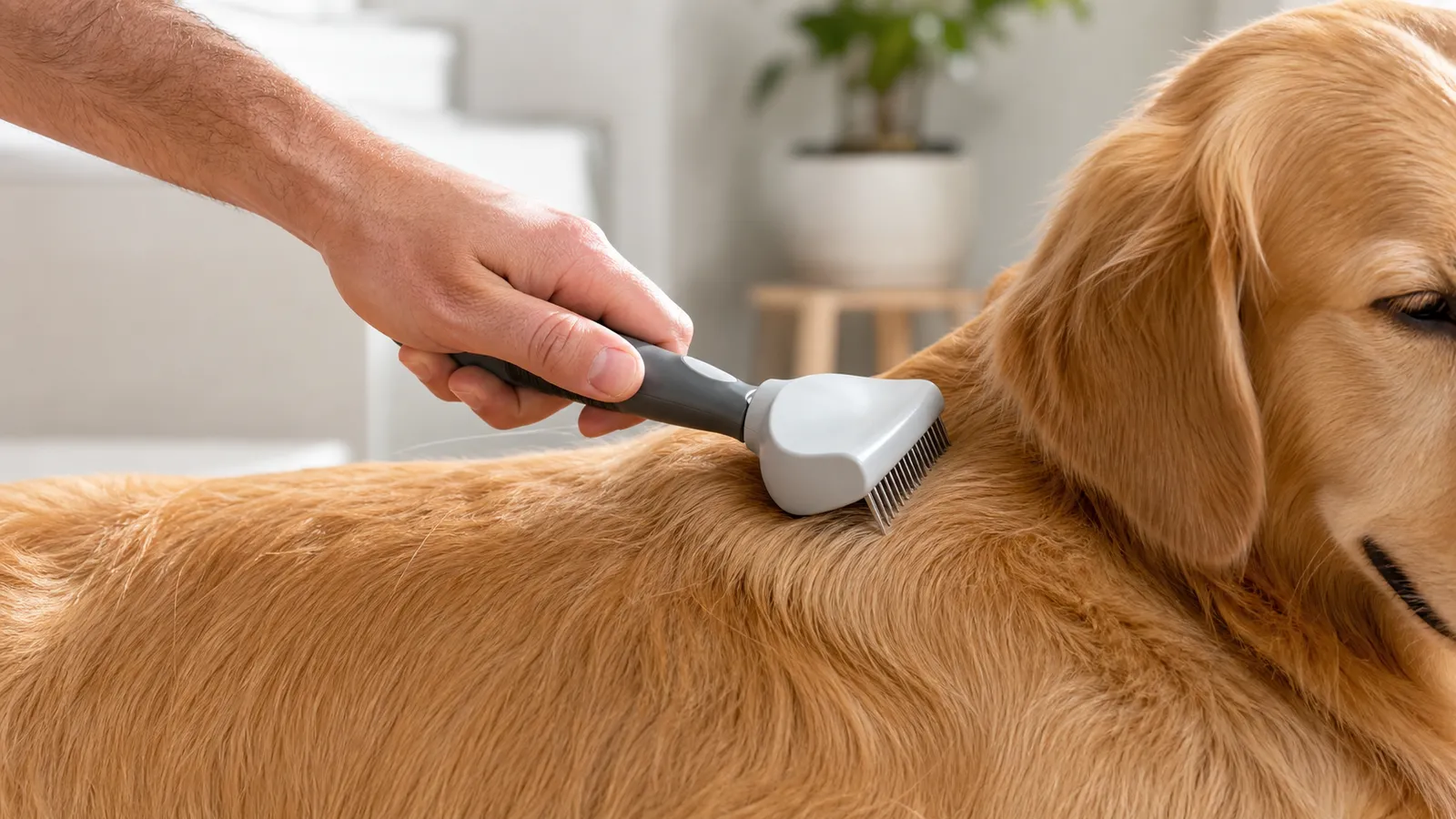
Suitable for: Grooming brushes, deshedding tools, and grooming products. Only hands may appear, preventing human figures from overshadowing the product.
Create a close [RATIO] grooming-routine photograph showing one clean hand gently using [PRODUCT] on the back fur of [PET]. Preserve [IDENTITY], especially the handle shape, button, blade or bristle arrangement and product color. Keep the tool fully visible in a natural grip, with the pet calm and the fur direction believable. Use soft window light and a neutral home background. Show no human face. No forceful restraint, irritated skin, loose blade, duplicate fingers, extra tool, unrealistic fur clump, medical claim, text, logo or watermark.Acceptance: The number of fingers, grip style, and comb tooth orientation must be appropriate; tools should neither pierce the skin nor artificially enhance grooming effects.
IV. Five Functional Diagrams and Advertising Prompts for the Pet Industry
11. Three-Point Feature Explanation Diagram
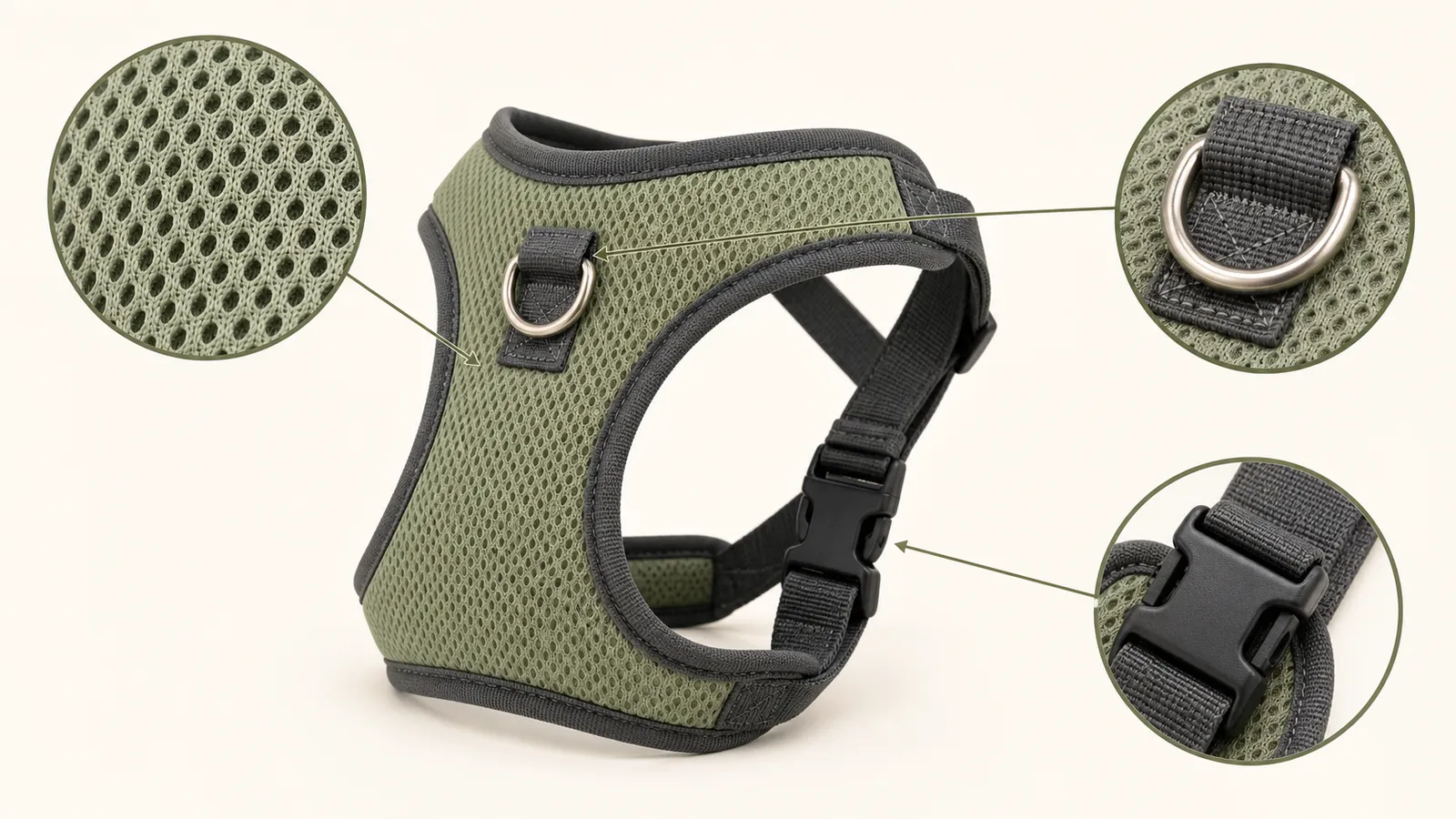
Suitable for: The second screen of a product detail page or an ad landing page. First create a text-free structural image, then add confirmed copy in your design tool—this approach yields higher accuracy.
Create a clean [RATIO] ecommerce feature visual for [PRODUCT]. Preserve [IDENTITY]. Place the complete product in the center and add exactly three restrained magnified detail circles around it, connected by thin neutral leader lines to [FEATURE 1], [FEATURE 2] and [FEATURE 3]. Leave three blank caption zones beside the detail circles for later typesetting. Use a light neutral background, crisp commercial lighting and accurate material texture. No generated words, icons, numbers, claim badges, extra product, distorted connection line, collage border, logo or watermark.Acceptance: The three guiding lines must point to actual parts, and the structures within the magnified circles must match the main product; formal copy will be added later, without relying on model-generated parameters.
12. Size and Applicable Body Type Explanation Diagram
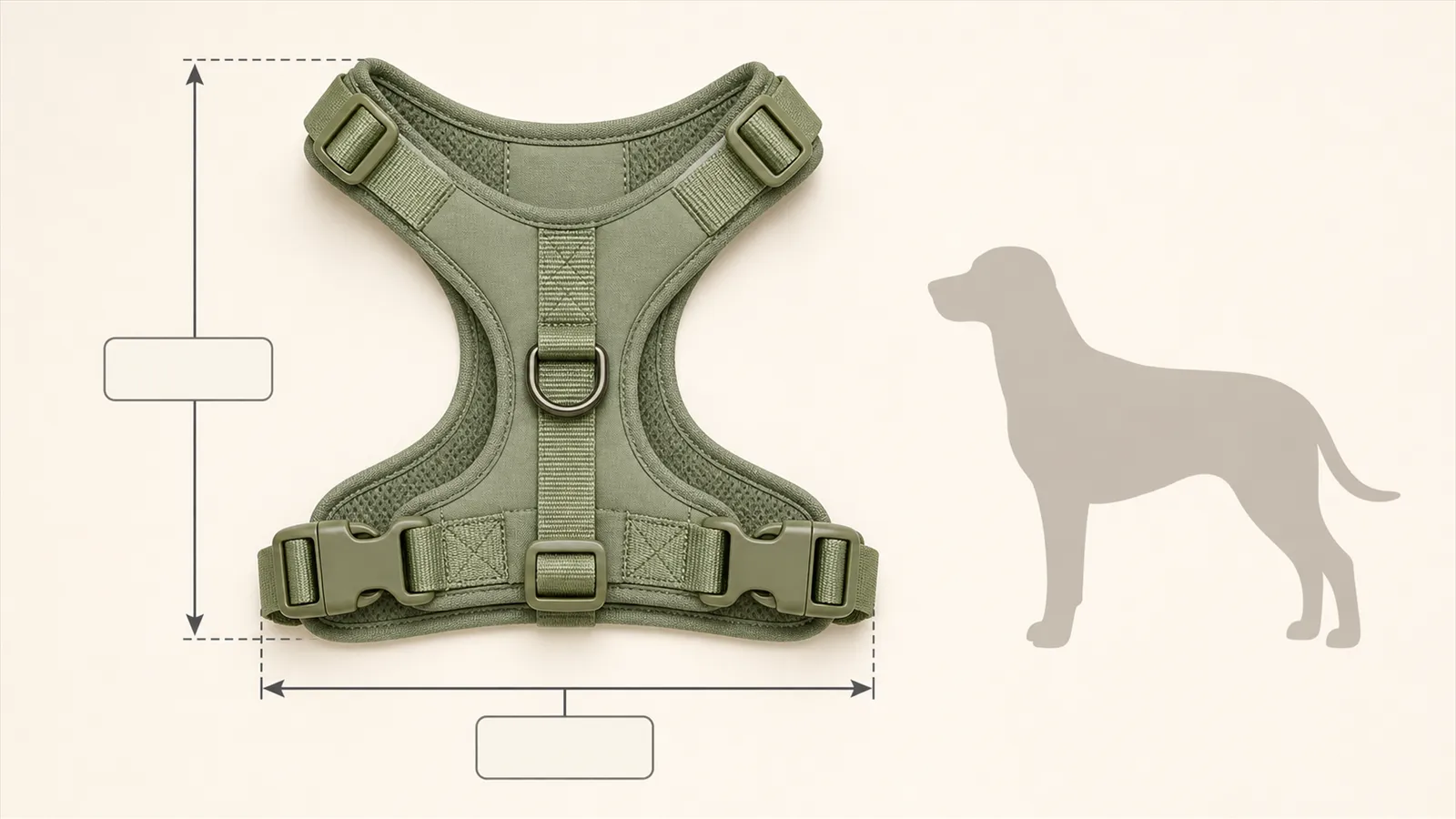
Suitable for: Pet beds, cat carriers, clothing, and harnesses. Only input variables after obtaining real dimensions—no visual guesses should replace actual measurements.
Create a [RATIO] ecommerce sizing visual for [PRODUCT] using the verified dimensions [LENGTH] × [WIDTH] × [HEIGHT]. Preserve [IDENTITY]. Show the product straight-on on a clean light background, with simple measurement arrows aligned to the true outer edges and empty label boxes for later typesetting. Add one neutral pet silhouette at the verified reference height [PET HEIGHT] beside, not inside, the product. Keep scale relationships mathematically consistent. No generated measurement text, breed recommendation, health claim, extra arrow, perspective distortion, logo or watermark.Acceptance: Dimension lines must fall within correct boundaries, and proportions must be based on actual data; do not let the generated image automatically determine applicable dog breeds or weight limits.
13. Social Media Ad Image for New Pet Products
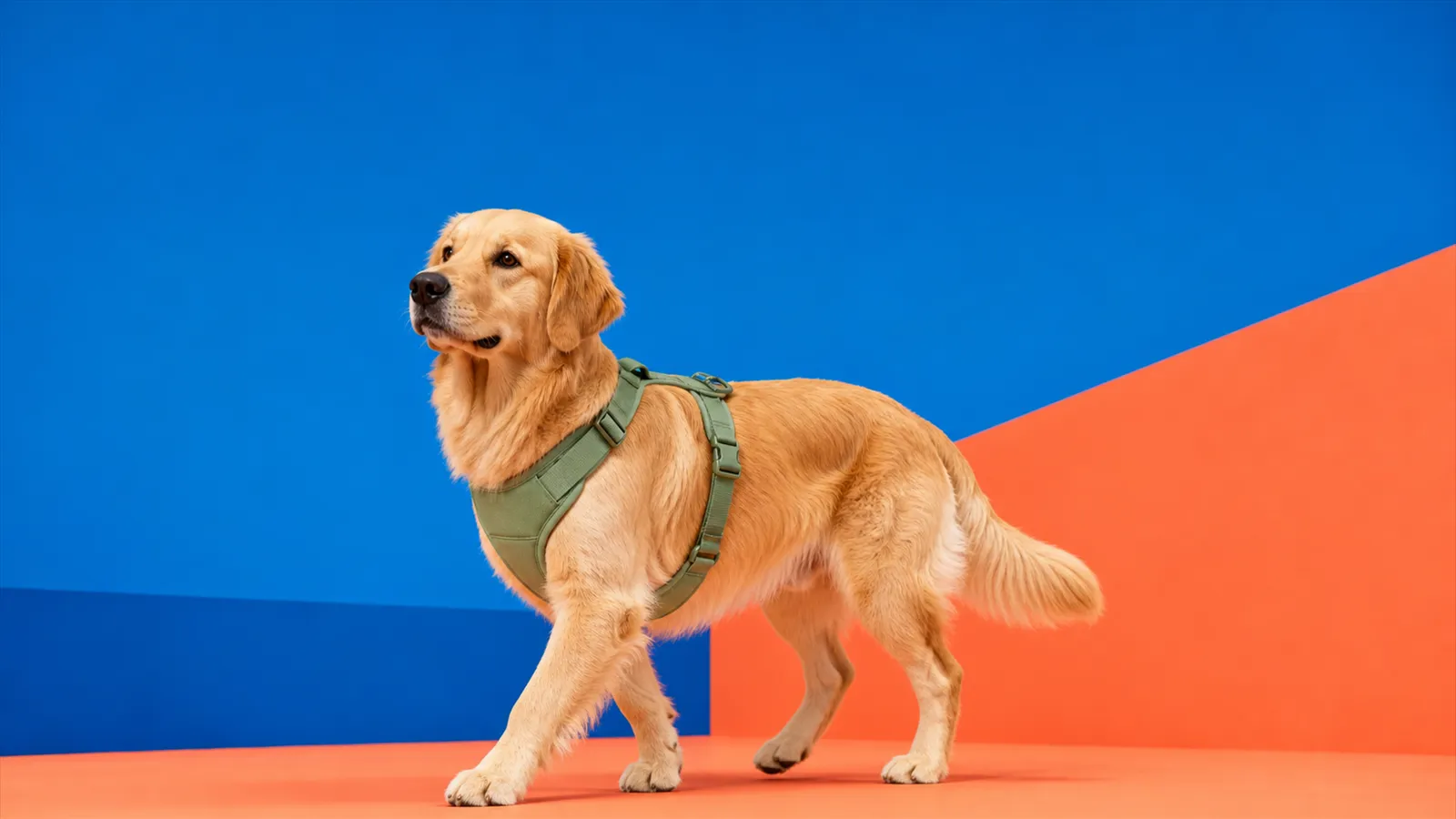
Suitable for: Instagram, Pinterest, TikTok Shop covers, and new product teasers. The visual focus should be on the interaction between the product and the pet, while keeping the headline concise.
Create a polished [RATIO] social commerce ad for [PRODUCT]. Preserve [IDENTITY]. Show [PET] naturally using the product in a bright color-block studio set using [BRAND COLORS]. Keep the product large, sharp and unobstructed, with energetic but believable pet movement and clean negative space at the top for one short headline. Add no text during generation. Use crisp editorial lighting, realistic fur and material texture, and a strong thumbnail-readable composition. No person, extra product, fake discount badge, confetti covering the item, distorted animal anatomy, logo or watermark.Acceptance: Even when scaled down to mobile width, the product must still be instantly recognizable; headlines, prices, and promotional information should be uniformly arranged during post-production.
14. Black Friday Pet Supplies Promotion Image
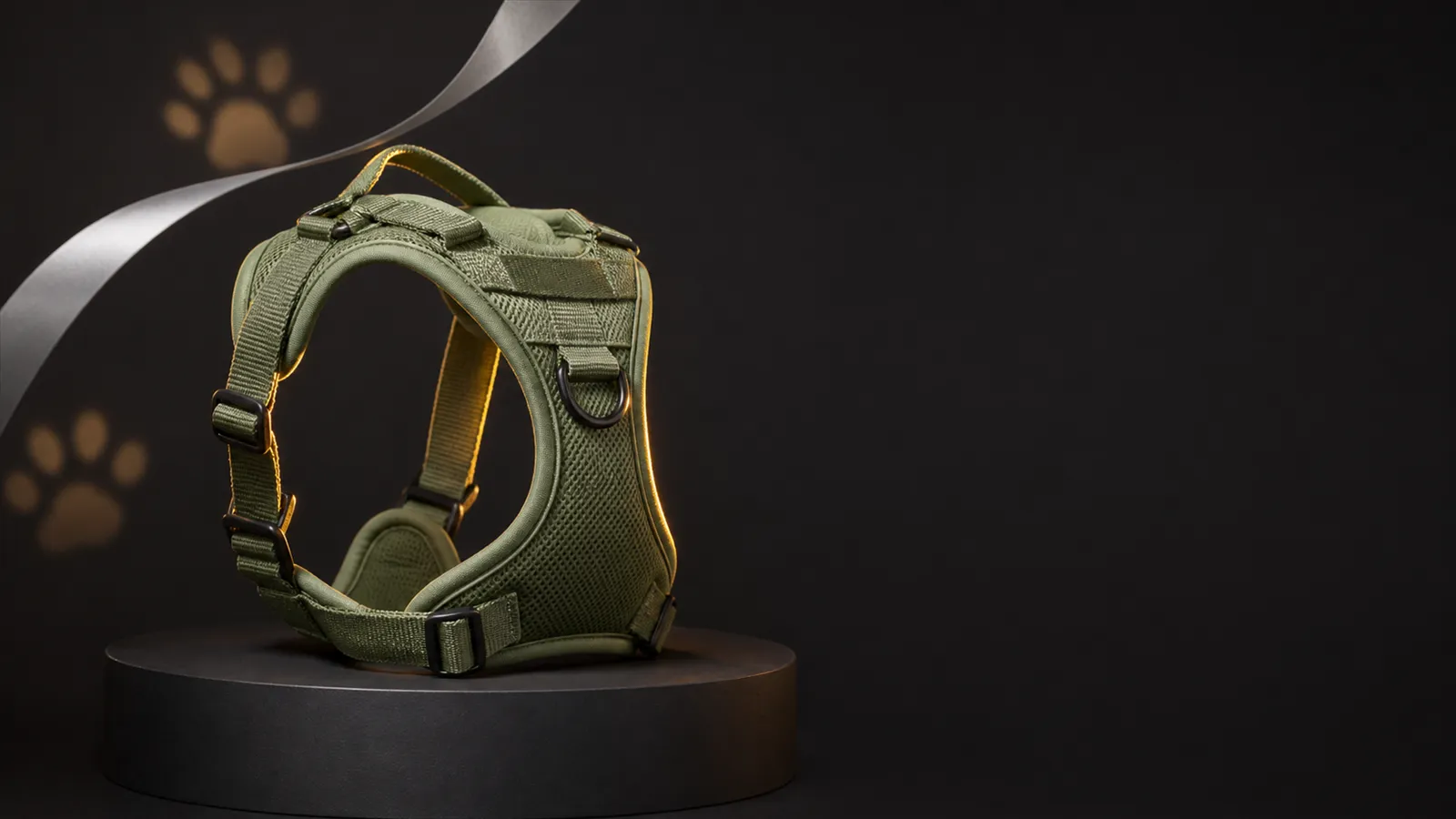
Suitable for: Black Friday, Singles’ Day, and other year-end sales events. The product must stand out more than holiday decorations, with discount numbers added later from official event records.
Create a premium [RATIO] Black Friday campaign background for [PRODUCT]. Preserve [IDENTITY]. Place one product prominently on a matte charcoal pedestal with warm amber rim light, restrained silver ribbon curves and subtle paw-shaped bokeh in the distant background. Leave a clean high-contrast area for the verified offer and CTA to be added later. Keep the mood festive, modern and pet-category appropriate without looking like a generic electronics sale. No generated text, percentage, price, countdown, extra product, pet wearing unsafe decoration, glitter over the product, logo or watermark.Acceptance: Do not include discount details during the initial rendering stage to avoid incorrect figures; the product’s outline, color, and material should still align with everyday main images.
15. Visual Series of the Same Product Across Three Channels
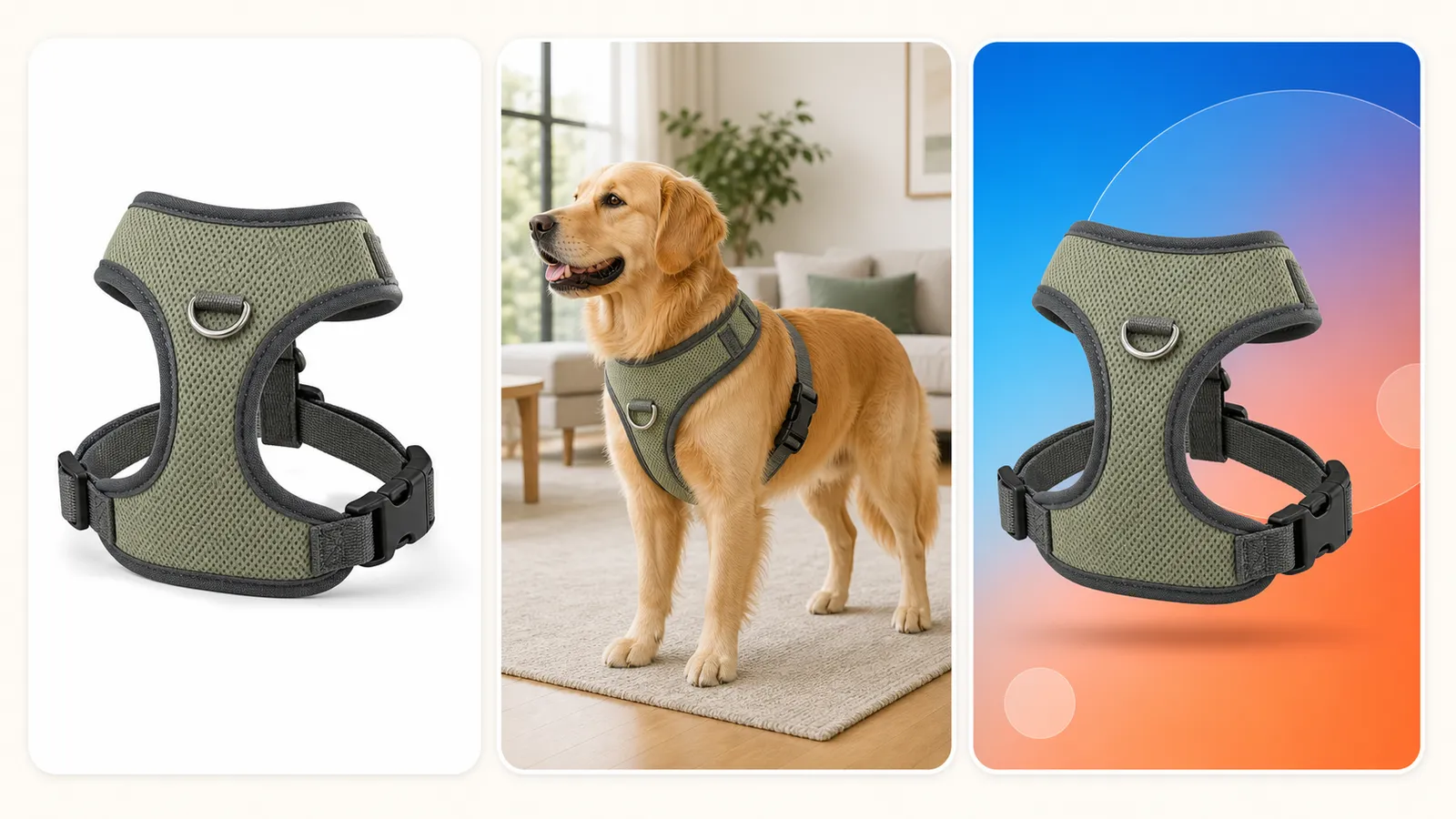
Suitable for: Preparing independent websites, product detail pages, and social media content all at once. Do not have the model directly combine three images into one; instead, generate three separate visuals sequentially.
Using the same uploaded [PRODUCT] image as the locked identity reference, create one standalone [RATIO] image for [CHANNEL]. Preserve [IDENTITY] exactly across every output in this series. For the catalog version, use a clean light studio set and full product visibility. For the lifestyle version, show [PET] using the product naturally in [SCENE]. For the social ad version, use [BRAND COLORS], stronger contrast and clear negative space for short copy. Generate only the selected version in each run, never a collage. No redesign, recolor, extra accessory, invented text, logo or watermark.Acceptance: Each of the three images must be generated and checked individually; finally, compare the product’s shape, color, components, and packaging text side by side—any deviation requires a separate rework.
V. Eight Pre-Publication Checks After Generation
Product Outline: The overall shape, length-to-width ratio, and edge curves must match the original product.
Number of parts: No additions or subtractions to clasps, zippers, handles, buttons, foot pads, or openings.
Color and material: Fabric, metal, plastic, mesh, and plush have not been incorrectly substituted.
Packaging text: Brand, flavor, specifications, and net content are accurately rendered word-for-word, with no fabricated claims about efficacy or certifications.
Animal anatomy: Eyes, ears, paws, tails, and teeth naturally correspond to the product; no duplicated limbs appear.
Usage instructions: The placement of chest straps, ventilation in cat carriers, food dispensing mechanisms, and grip positions for grooming tools all align with common sense.
Proportional relationships: The scale between pets, products, furniture, and settings is credible; no fabricated images should be used in place of actual measurements.
Channel adaptation: The main subject remains within the safe cropping zone, while titles and promotional information follow pre-approved copywriting and are laid out during post-production.
VI. Frequently Asked Questions
Do GPT Image 2 prompts for the pet industry have to be in English?
Not necessarily. Clear Chinese can also effectively convey the task. This document uses an English template to facilitate direct reuse by cross-border teams and ensure that product identity, composition, lighting, and constraints remain consistent. Ultimately, it’s not the language but the clarity of information that determines the outcome.
Why is it best to upload reference photos of real products?
Text alone can only provide a general description of a product and cannot fully capture the stitching, fasteners, labels, or proportions of an actual SKU. Uploading your own product images and clearly stating “only change the scene, not the product” is more suitable for background replacements and extended image sets for items currently on sale.
Can I directly include discounts and product benefits in the prompt?
Short titles may be generated, but pricing, discounts, net content, efficacy claims, and certification details should rely on confirmed information and be finalized during the final design stage. This approach keeps the visuals clean and prevents incorrect text from appearing in advertisements.
How can I ensure consistency across multiple images of the same pet product?
Use a fixed reference image and identity card for each product, changing only one variable at a time—such as the background, framing, or lighting. After generation, review all images side by side; if you notice any deviation in a particular image, correct only that one without altering other images that are already accurate.
VII. References
ecommerce-gpt-image-prompts open-source e-commerce prompt library
Nexscope: 15 GPT Image 2 Prompts for Ecommerce Ads and Brand Visuals
Learn AI to Profit: Product Photography Prompts for Ecommerce Stores
Turning prompts into market-ready product images hinges not on a single-generation process, but rather on creating product identity cards, conducting variable-based iterations, and performing pre-launch reviews. After completing the main product images for pet supplies using this approach, you can then expand into lifestyle scenes and promotional materials, resulting in a visual series far more consistent than if you were to describe everything from scratch each time.