
Process Overview
Step 1: Prepare a Product Image with a White Background
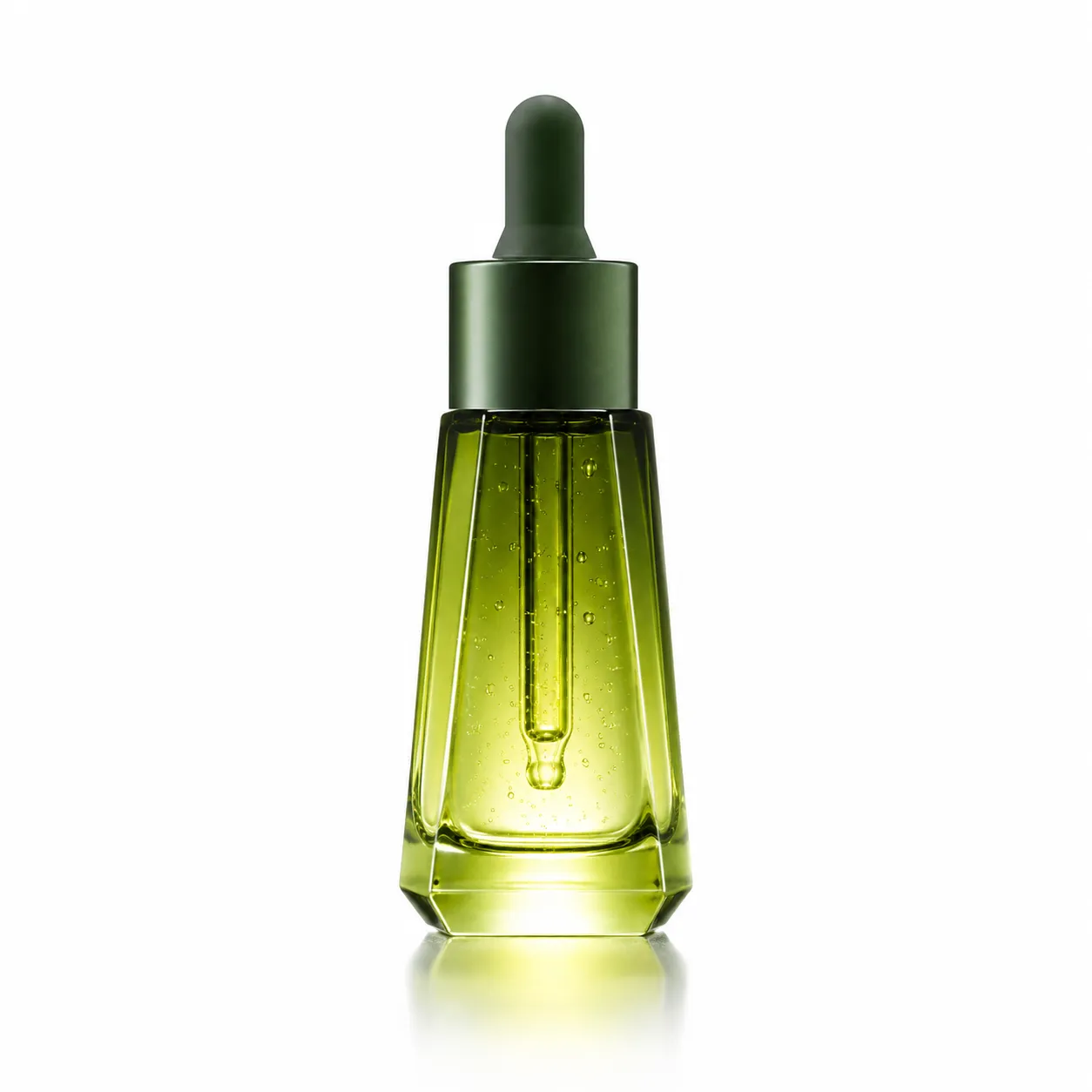
Prepare a clear product image with a white background. In this case, we’re using a green dropper bottle containing plant-derived essential oil, which is suitable for natural botanical extracts, high-end skincare, and e-commerce product detail page styling..
Step 2: Access PixPix’s “A+ Detail Page” Feature
After opening the PixPix website, navigate to the “A+ Detail Page” feature. On this page, you’ll primarily need to configure:
Original product image: Upload
1–3 张Product image>Platform for Listing: Select according to your actual sales platform
>Language: Choose Chinese or English based on your target market
>Image Aspect Ratio: Select according to the platform and detail page layout
>Product Highlights and Requirements: Specify product type, visual style, and core selling points
>Quick Optimization/Detail Page Modules: Check the desired page structures to generate
Step 3: Upload the Product Image
In the “Original Product Image” section, upload the product image with a white background. In this example, we’re using a single image of the plant-based essential oil bottle; once uploaded, the system will recognize the main subject and use it for generating the subsequent detail page.
Step 4: Configure Platform, Language, and Aspect Ratio
>Platform for Listing: Taobao/Tmall
>Language: Chinese
>Image Aspect Ratio:
9:16>
Step 5: Enter Product Highlights and Visual Requirements
In this example, the product category is plant-based essential oil/facial serum, with keywords focusing on high-end skincare, natural botanical extracts, dropper glass bottles, natural materials, dewy skin effects, stone textures, olive leaves, and an oily droplet texture.
Step 6: Select Detail Page Modules
In the video, multiple detail page modules are selected to automatically generate a complete split-screen layout:
>Main Visual on the First Screen: Convey core value
>Core Selling Point Images: Highlight unique advantages
>Usage Scenario Images: Showcase real-life application scenarios
Multi-angle images: Show the product’s appearance from multiple angles
Comparison images: Used to showcase before-and-after results or differences in effect
Manufacturing process diagrams: Display the production workflow
Product ingredient charts: Present the formula, materials, or ingredients
Other optional modules are also available on the page:
Brand story illustrations
Size and measurement charts
Specifications/parameters tables
Accessories/gifts illustrations
Series showcase images
After-sales guarantee illustrations
Usage recommendation illustrations
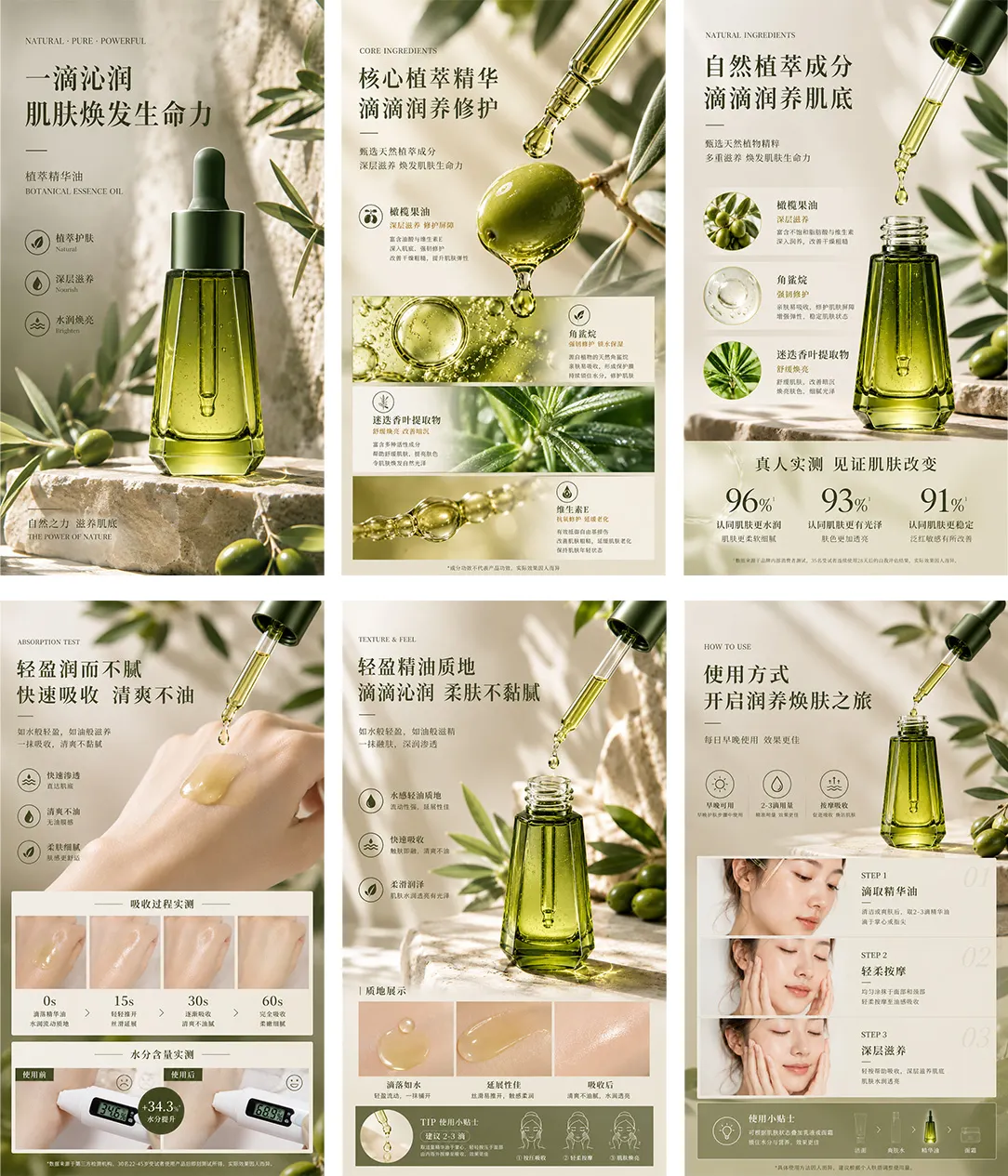
Step 7: Click “Generate” and review the results
After clicking “Generate Details Page,” please wait for the system to generate it automatically. This includes: the homepage KV, core ingredients, texture display, absorption test, usage instructions, and product details. and other pages.
Product type and style prompts
Currently, high-end plant-based essence oils in Europe and America—and many e-commerce product detail pages—commonly employ imagery featuring natural materials, glass reflections, water-like sheen, stone textures, olive leaves, and droplets of oil, emphasizing naturalness and luxury. Plant-based essence oils / facial serums, dropper glass bottles, leaning toward natural botanical extracts and a high-end clinical skincare approach
Reusable workflow
Prepare a clear product image with a white background.
Open PixPix and enter the “A+ Detail Page” section.
Upload the original product image.
Select the platform, language, and desired ratio for the detail page.
Fill in the product type, key selling points, visual style, and any special requirements.
Check the required detail page modules.
Click “Generate Detail Page.”
Review each screen and export the final result.