
Process Overview
Step 1: Prepare the Clothing Product Image
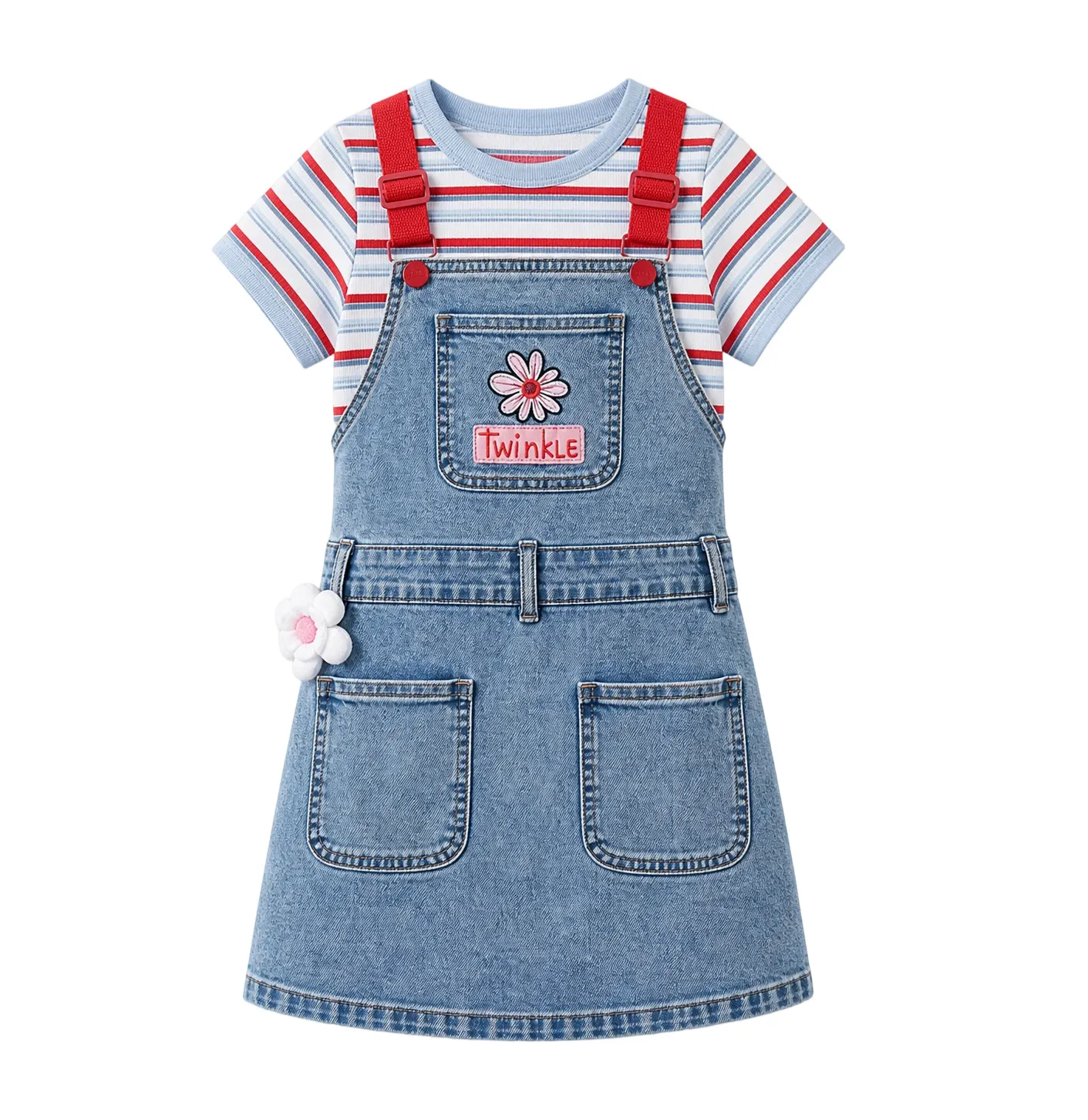
Prepare a clear image of the clothing item. In this example, we’re using a children’s denim suspender skirt, featuring a red-white-blue striped short-sleeve top, a light blue denim skirt, red adjustable suspenders, a floral appliqué on the chest, and three-dimensional pockets.
Step 2: Open PixPix’s “Clothing Image Set”
After entering PixPix, select “Clothing Image Set.”
Step 3: Upload the Original Product Image
In the “Original Product Image” section, upload the clothing image. The page indicates that images in 1–3 张 format are supported. In this case, we’ve uploaded a front view of the children’s suspender skirt.
Step 4: Fill in Additional Requirements
“Additional Requirements” is an optional field.
The additional requirements mainly include:
Style Direction
Product Selling Points
Usage Scenarios
Display Details
In this example, the additional requirements primarily consist of:
Style Direction
Overall, the style falls under a sweet, playful American casual aesthetic, pairing a light blue denim suspender skirt with a red-white-blue striped short-sleeve top—creating a fresh, vibrant color palette. Floral appliqués, red suspenders, and vintage washed denim elements complement each other, making it ideal for creating cute, whimsical everyday outfits for kids.
Product Selling Points
The faux two-piece design eliminates styling worries, allowing a complete look to be achieved with just one outfit; the adjustable suspenders make it easier to fit different body shapes. The skirt features a loose A-line silhouette that balances freedom of movement with flattering contours, while multiple three-dimensional pockets add both practicality and decorative flair. The floral accents further enhance the piece’s sophistication and recognizability.
Usage Scenarios
Suitable for spring and summer outings, school or kindergarten attendance, shopping trips, family gatherings, birthday parties, and travel photography. Its bold red-and-blue color scheme makes it eye-catching on camera, and it pairs effortlessly with white sneakers, athletic shoes, or sandals, easily achieving a lively, natural children’s look.
Display Details
It’s recommended to highlight key details such as the red adjustable suspenders with metal buckles, the floral appliqué and “Twinkle” embroidered patch on the chest, the three-dimensional flower embellishments at the side waist, the washed texture of the skirt, and the contrasting stitching. You may also consider adding flat shots from the front and back, showcasing pocket capacity, close-up views of the fabric, shoulder strap adjustments, and how the garment looks during movement, making the silhouette and craftsmanship even more tangible.
Step Five: Select Language
In this example, the selected language is:
English
Step Six: Choose Generation Type
Generation types include:
White-Background Refined Image: A product refinement image against a pure white background, available in front or back views
3D Realistic Renderings: A product display with depth and layered effects
Mannequin image: Professional renderings showcasing the garment on a mannequin
Close-up detail shots: Close-up images highlighting product details and materials
Marketing highlight images: Promotional images emphasizing the product’s key selling points
Step 7: Review the generated results
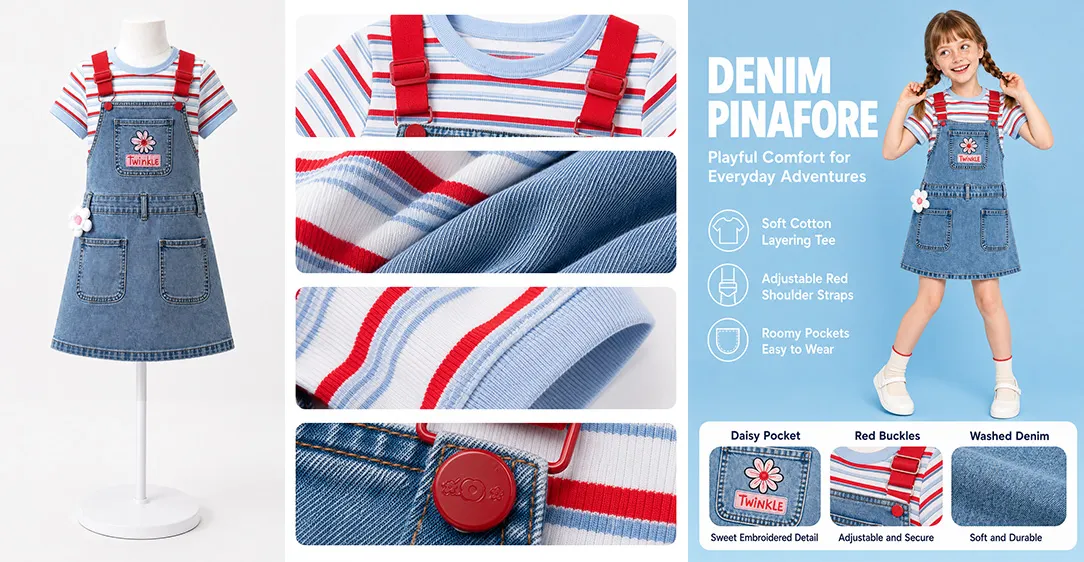
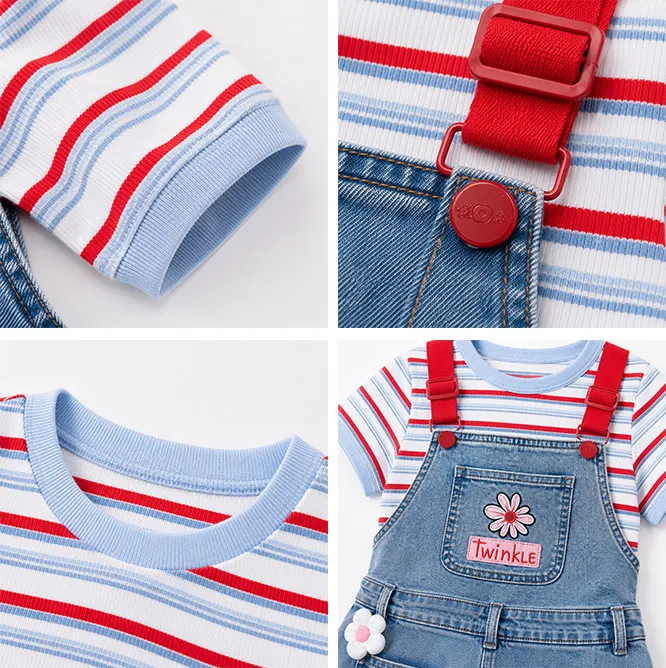
The finished products mainly include:
High-quality white-background retouched images of children's clothing
Close-up shots of details such as collars, cuffs, strap buckles, embroidery, and fabric textures
Images showing the model wearing the outfit
English-language marketing poster images
These images can be directly used for e-commerce main images, detailed page sections, product highlight graphics, social media promotional content, or new-product launch materials .
Reusable prompt templates
Additional requirements in Chinese
Overall, this is a sweet, playful American casual style suitable for children. The product features a light blue denim pinafore dress paired with a red, white, and blue striped short-sleeve top, creating an easy two-piece look. The color scheme should feel fresh, lively, and cheerful. Key highlights to emphasize include the adjustable red shoulder straps, flower appliqués, the "Twinkle" embroidered patch on the chest, vintage washed denim texture, and contrasting stitching.
Please generate a set of fashion images suitable for e-commerce display, including high-quality white-background retouches, 3D renderings, mannequin shots, close-up detail photos, and marketing highlight images. Detail shots should focus on the collar, cuffs, red shoulder straps with metal buckles, floral patches on the chest, three-dimensional flower embellishments at the waist, pocket capacity, close-up views of the fabric, and how the garment looks when worn. The overall style should be clean, bright, and delightfully childlike—perfect for spring and summer outings, school days, parent-child gatherings, birthday parties, and travel photography.
Additional requirements in English
A sweet and playful American casual kidswear style. The product is a light blue denim pinafore dress paired with a red, white, and blue striped short-sleeve top, designed as an easy two-piece outfit. The look should feel fresh, bright, energetic, and cute for children's everyday wear.
Highlight the adjustable red shoulder straps with metal buckles, the flower patch and "Twinkle" embroidery on the chest, the dimensional flower decoration at the waist, the washed denim texture, contrast stitching, practical pockets, neckline, cuffs, fabric close-ups, and overall fit. Generate ecommerce-ready fashion images including clean white-background retouching, 3D product display, mannequin display, close-up detail shots, and marketing selling-point images. Suitable for spring and summer daily outings, school, kindergarten, shopping, parent-child gatherings, birthday parties, and travel photos.
Reusable workflow
Prepare clear product images of the clothing, ideally including a full-front view and key structural details.
Open PixPix and go to the “Clothing Image Set” section.
Upload the
1–3 张product images.In the additional requirements, specify the product’s style, selling points, usage scenarios, and key details.
Select the language for generation.
Check the desired types of generated images, such as white-background retouching, mannequin shots, close-up detail shots, or selling-point illustrations.
Click to generate the clothing image set.
Review the generated results and export them.