
Generation Process
Prepare a Reference Image
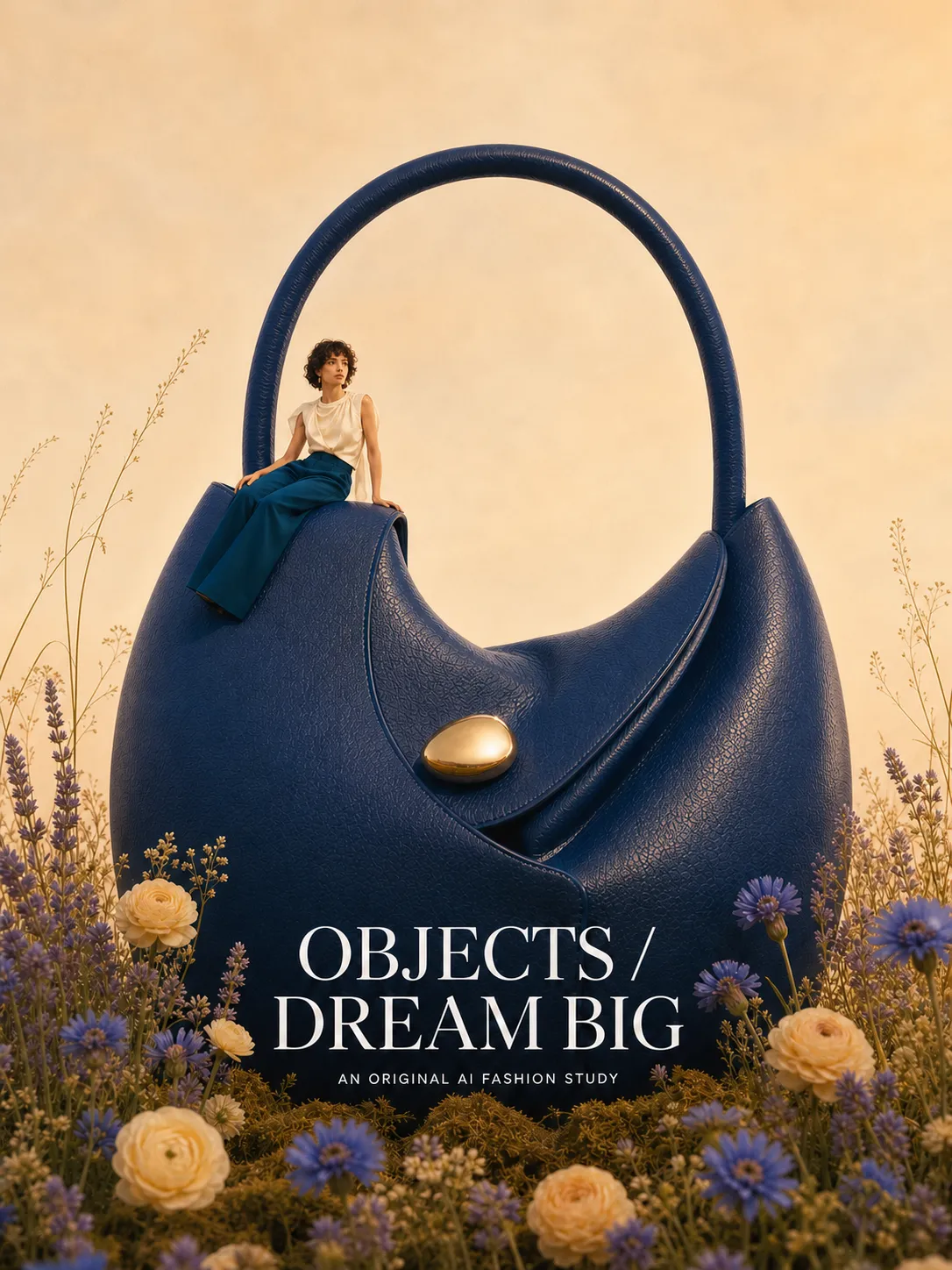
Find a proven, high-performing popular image, such as a poster cover, social media graphic, or e-commerce ad.
In this example, the reference image is a blue tote bag poster, featuring the main bag, a person sitting on it, floral scenery, and an English title.
If you just want to learn a particular style, choose images with excellent atmosphere, color schemes, and composition; if you aim for a highly faithful reproduction of the layout, select images with clear structure and well-defined subject placement.
Activate the Popular Item Replication Feature
Open PixPix.
Select the “Popular Item Replication” feature.
The page explains: upload a reference image and the original product photo, and the AI will replicate the product into an e‑commerce image in the same style.
Upload the Original Product Photo
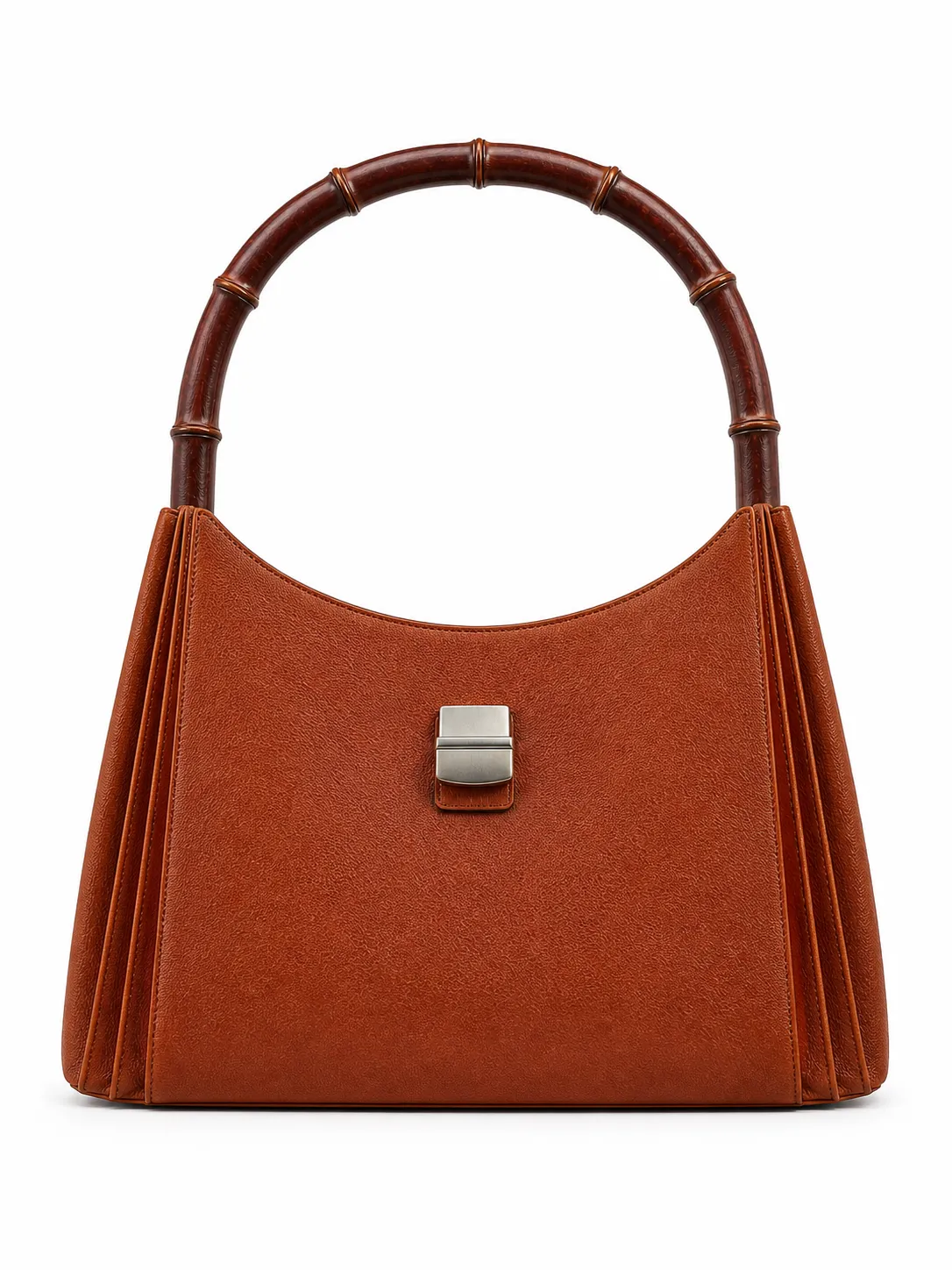
In the “Original Product Photo” section, upload the product image.
In this case, a brown tote bag on a white background was uploaded.
It’s best to use product photos with a simple background and a clearly defined subject, so the AI can accurately recognize the product’s structure.
Upload the Reference Image
In the “Reference Image” section, upload an image that captures the desired style.
In this example, a blue tote bag poster was uploaded.
The reference image determines the final composition, color tone, scene atmosphere, copy layout, and overall poster texture.
Choose the Replication Mode
There are two levels of replication:
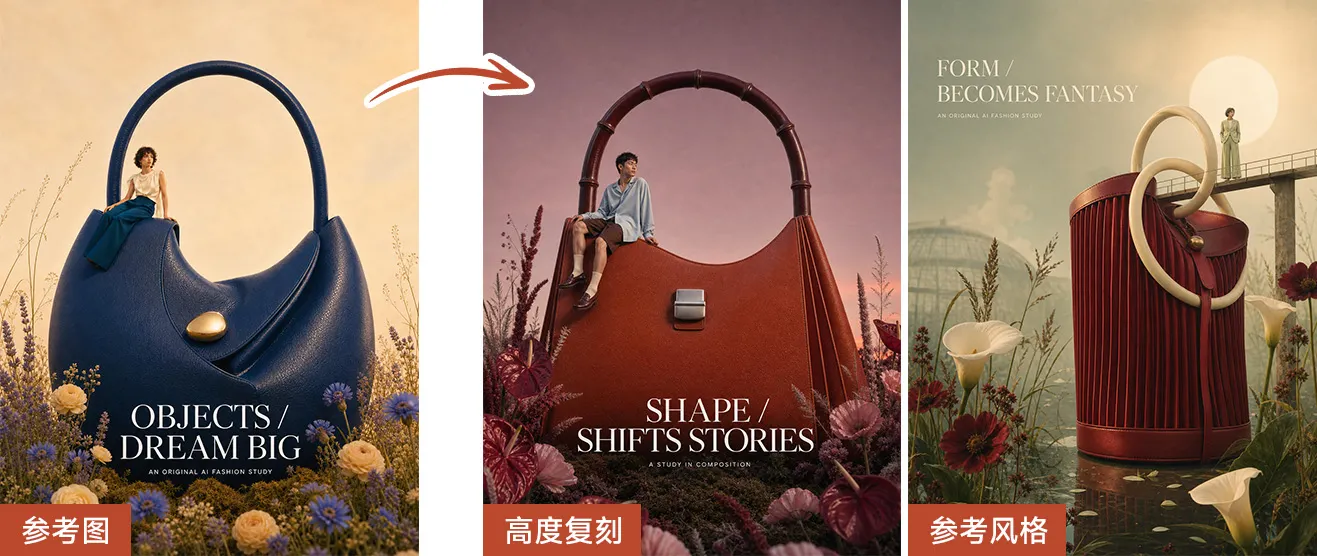
Reference Style
Refers to the overall style and structure, automatically adjusting colors and reconstructing scenes
Highly Replicated
Replaces the product and copy based on the visual structure of the reference image, with slight differences in scene details
Recommendations for Selection:
Choose “Reference Style”:Suitable if you only wish to borrow the reference image’s color tone, atmosphere, composition, and commercial feel.
Choose “Highly Replicated”:Ideal if you want the new image to closely match the reference image’s layout, subject placement, and visual structure.
Set Platform, Language, and Aspect Ratio
Purpose Explanation:
The platform affects the generated image’s e‑commerce specifications and conversion goals.
Language affects the text and titles in the image.
The image ratio can be selected according to requirements such as social media graphics, e-commerce main images, or detail page covers.
Generate and filter results
Click “One-Click Replication Generation.”
Wait for the AI to output the replicated image.
Compare the reference image with the generated one, checking whether the product’s main subject is accurate, the style consistent, the copy appropriate, and whether there are obvious AI traces in the composition.
If the result is unsatisfactory, you can replace the reference image, switch the replication mode, add additional requirements, or adjust the aspect ratio before regenerating.
Prompt word organization
Template for supplementary requirements for best-seller replication
Suitable for filling in the “Supplementary Requirements” section:
Please preserve the product’s true appearance, color, material, silhouette, and proportions, without altering its core structure. Referencing the overall composition, scene atmosphere, color scheme, lighting effects, and copy layout of the best-selling image, naturally integrate my product into an e‑commerce poster of the same style. The background should be clean and sophisticated, highlighting the product while ensuring the image is suitable for Amazon, social media ads, or e‑commerce main images—avoiding cheap collage effects and obvious AI traces.
Prompt words for replicating a handbag poster
Suitable for the bag products featured in this video:
Please replicate the uploaded brown handbag into a stylish e‑commerce poster in the same style as the reference image. Retain the handbag’s brown leather material, curved handles, metal buckles, body proportions, and overall silhouette unchanged. The reference image features a large-sized bag centered in the composition, blending the product with floral scenery, accompanied by an elegant English title evoking high‑end fashion magazines and minimal copy. The overall tone should be warm, sophisticated, and retro, with soft lighting and a brand‑advertising feel—ideal for social media covers and e‑commerce promotional images.
Reusable operation template
Input materials: White‑background product image + Best‑selling reference image
Access tool: PixPix → Best‑seller replication
Step 1: Upload the original product image
Step 2: Upload the reference image (best‑selling picture)
Step 3: Choose the level of replication: Reference style / High‑fidelity replication
Step 4: Fill in supplementary requirements as needed
Step 5: Set the platform for listing, language, and image ratio
Step 6: Click “One‑Click Replication Generation”
Step 7: Review the results, replacing the reference image or regenerating if necessary